Google SketchUP Course Training Centre In Bangalore

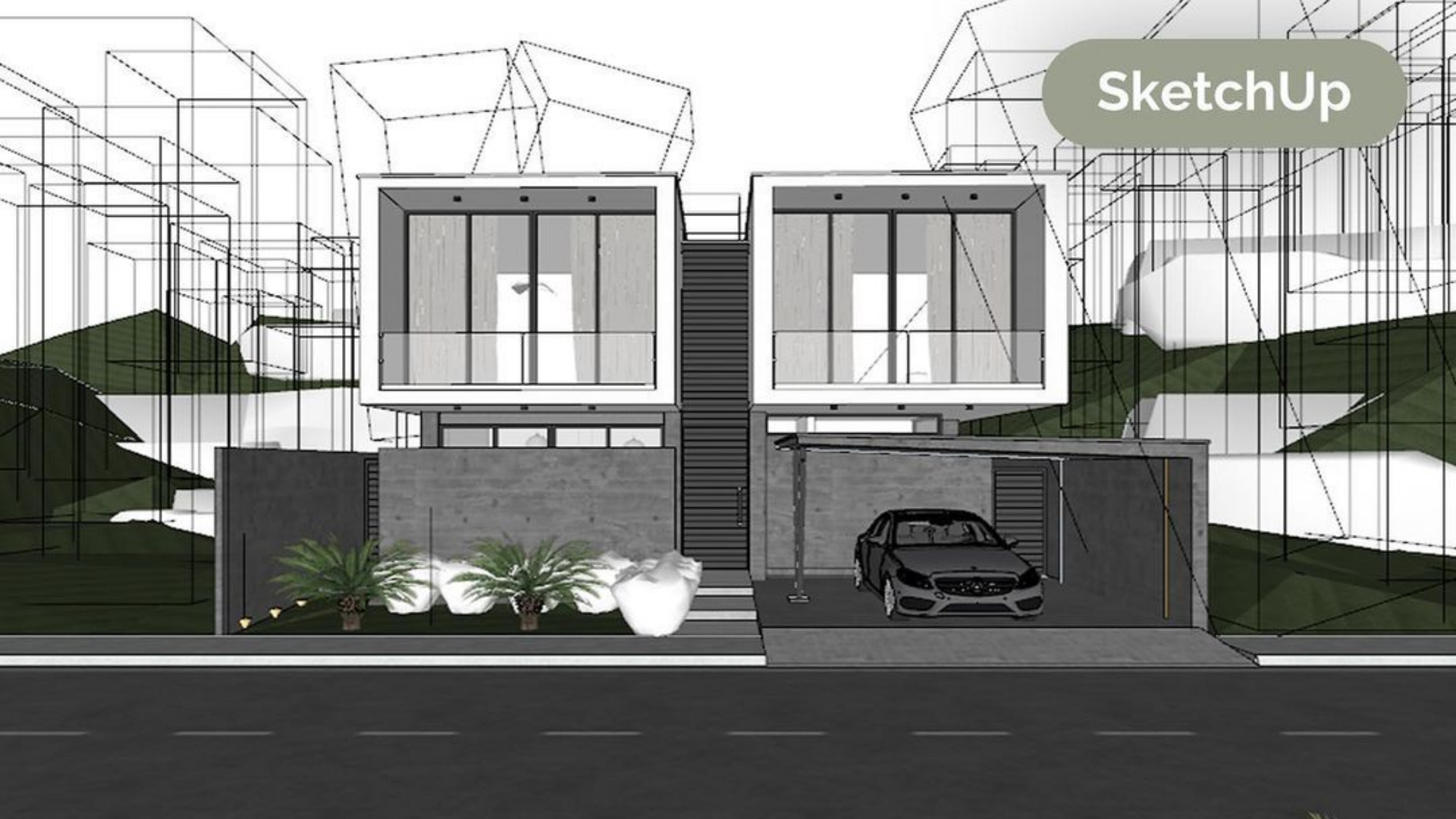
The SketchUp Course at CADDESK Bangalore is an excellent choice for individuals looking to master 3D modeling for architecture, interior design, urban planning, and various other design applications

Google-colorCreated with Sketch.
⭐⭐⭐⭐⭐4.9 Rating
ISO Certification
100% Placement Assistance
5000+ Students Trained
100% Practical Training
15+ Years Experience

Book Your Free Demo Class

Talk to a counsellor today and unlock your CAD career path.

By submitting, you agree to receive a callback from our team.

The SketchUp Course at CADDESK Bangalore teaches 3D modeling for architecture, interior design, urban planning, and other design fields. It is open to beginners and professionals who want to improve their skills in building detailed 3D models with SketchUp. Experienced trainers guide students through essential SketchUp tools and advanced features like 3D rendering, texturing, and presentation modeling. Students get hands-on practice with architectural modeling, learn about the design process, and use SketchUp to bring their ideas to life. The course covers basic drawing tools and advanced modeling techniques, so learners can design and modify complex frameworks. It also shows how to use third-party plugins to add more features to SketchUp. CADDESK Bangalore offers both face-to-face and online classes, making it easy to fit the course into different schedules. Every student gets personal attention, participatory lessons, and expert support. The course focuses on project-based learning, helping students build practical skills and create a portfolio of real-world designs. After finishing the course, students receive an ISO certification that is recognized internationally and can boost their career in architecture, interior design, construction, or product design. CADDESK Bangalore also helps graduates find jobs by connecting them with employers in design and architecture. The SketchUp Course is a good starting point for anyone who wants to start or grow a career in 3D design or similar fields. Best SketchUp Course in Bangalore.

15+ Years

Training Excellence

Google SketchUP Course from Basics to Advanced

Industry Projects
Practical Exercises
Expert Faculty
Autodesk Standards

Your Complete Google SketchUPCourse Learning Journey

Duration

40 Days

Projects

15+ Live Projects

Software

Latest Google SketchUP

Certification

ISO Certificate

Placement Assistance

100%

Mode

Offline + Online

Google SketchUP Course Curriculum

Module 1: Introduction to SketchUp
  • Introduction to the software, its history, and applications in various industries.
  • Familiarization with the interface, menus, toolbars, and navigation tools.
  • Understanding 3D space, coordinate systems, and object manipulation (move, rotate, scale).
  • Working with basic 3D primitives (boxes, spheres, cylinders).
  • Using the Push/Pull tool to create 3D shapes from 2D outlines.
  • Understanding the use of groups and components for organization and efficiency.
  • Techniques for modeling more intricate forms and geometries.
  • Exploring advanced tools to create complex models.
  • Techniques for modifying existing shapes with precision.
  • Understanding how to apply and modify materials on 3D models.
  • Creating and importing custom textures for more personalized designs.
  • Techniques for UV mapping and placing textures accurately.
  • Exploring different types of lighting available in SketchUp.
  • Understanding how to add shadows to enhance realism in models.
  • Techniques for adjusting shadow effects based on time and location.
  • Creating 2D drawings from 3D models (plans, sections, elevations).
  • Techniques for detailing drawings with measurements and notes.
  • Options for exporting layouts in various formats (PDF, DWG).
  • Creating scenes for effective presentations.
  • Techniques for positioning and animating cameras for dynamic views.
  • Applying different styles and shadow settings for enhanced visuals.
  • Introduction to popular SketchUp extensions that enhance functionality.
  • Techniques for adding and managing plugins effectively.
  • Overview of extensions for rendering, analysis, and design.
  • Opportunities for collaborative projects, mirroring real-world teamwork.
  • Utilizing the online 3D Warehouse for importing and sharing models.
  • Techniques for exporting models in various formats for sharing.
  • Applying learned skills in a comprehensive project (e.g., architectural design or interior space).
  • Opportunities for peer feedback and critique on completed projects.
  • Guidance on compiling a professional portfolio to showcase work.

Companies That Hire Our Students

Placed Students Through CADDESK Marathahalli Bangalore

Build a Successful Career in Design

SketchUp Designer

₹2.5 – ₹4.5 LPA

Interior Designer

₹3 – 6 LPA

Architectural Designer

₹3 – 5 LPA

Space Planning Designer

₹3 – ₹5 LPA

Landscape Designer

₹3 – ₹5.5 LPA

Kitchen & Modular Designer

₹2.5 – ₹5 LPA

Live + Recorded

Learn at your pace

Google SketchUP Course Highlights

Live Online Classes
Project-Based Learning
Trainer Support
Flexible Timings
Certification
Placement Assistance

Online Google SketchUP Course Training Centre in Bangalore

The Online SketchUp Course at CADDESK Bangalore is designed for anyone interested in learning 3D modeling and design with a flexible schedule. The course welcomes students, professionals, and hobbyists, and teaches SketchUp, a popular tool for 3D modeling, visualization, and architectural design. It is open to all skill levels, from beginners to advanced users looking to improve their skills. Participants start with the basics, such as simple modeling, using the interface, and learning key tools. The course then moves on to more advanced topics, including rendering, texturing, lighting, and animation. Students learn how to design detailed buildings, create interior layouts, and make site plans. The interactive format lets learners work on practical projects and build a professional portfolio. Flexibility is a major benefit, as students can watch recorded sessions and tutorials whenever they want, and join live classes to interact with instructors and get feedback right away. This mix of self-paced and live learning helps students understand SketchUp thoroughly, with support from experienced teachers. As the course continues, participants gain hands-on experience with advanced features, including SketchUp Pro, third-party extensions, and rendering tools such as V-Ray. The course also teaches best practices for preparing and presenting 3D models for design reviews, client meetings, and construction documents. Practical assignments help students apply what they learn to real design projects. After finishing the course, students receive an internationally recognized ISO certificate, which can boost their career prospects in architecture, interior design, product design, and related fields. CADDESK Bangalore also offers job placement support to help graduates find jobs with top design firms and organizations. Whether you want to start a career in design, improve your current skills, or focus on 3D modeling, the Online SketchUp Course at CADDESK Bangalore gives you the skills and understanding you need. Its flexible format, expert teachers, and practical approach make it a great starting point for success in 3D design and related careers. Best Sketchup course in Bangalore. 
Why CADDESK Bangalore Is the Best Google SketchUP Course Training Institute?

CADDESK Bangalore is known as a top SketchUp training center thanks to its hands-on teaching method and practical, industry-focused courses. The SketchUp program is open to everyone, whether you are just starting out or want to build on your 3D modeling skills. The course covers everything from basic tools to advanced techniques, helping students gain skills useful in design, architecture, interior design, and other fields that use 3D modeling. The instructors are experienced professionals who offer real-world knowledge in the classroom. They concentrate on practical learning and real projects, so students can build the skills needed to create professional 3D models and presentations. CADDESK Bangalore offers both face-to-face and online SketchUp courses to suit different study preferences. The online option is flexible, letting students learn at their own pace while still joining live sessions and getting personal support. The face-to-face classes provide a traditional setting with direct interaction with instructors. Both options offer thorough instruction and ongoing support throughout the course. After finishing the course, students receive an ISO certification that is recognized worldwide and valued by employers. CADDESK Bangalore also helps with job placement, connecting students with companies in design and architecture. This support helps students put their new skills to use in real jobs. With skilled instructors, flexible learning options, and a respected certification, CADDESK Bangalore is a great choice for anyone looking to learn SketchUp and move forward in design or 3D modeling. Best Sketchup course in Bangalore. 

Why Choose CADDESK Marathahalli Bangalore

Industry Expert Trainers

Learn directly from professionals working on real-time construction and engineering projects.

100% Practical Training

Every session includes live drafting exercises, software practice, and project implementation.

Placement Assistance

Dedicated placement assistance with interview preparation and resume building.

Latest Software Versions

Practice using updated SketchUP tools and workflows used in the industry.

Flexible Batches

Weekday batches available for students and working professionals.

Certification

Receive industry-recognized certification after course completion.

What Our Students Say

FREQUENTLY ASKED QUESTION

Who can take the AutoCAD course at Caddesk Marathahalli?

Our AutoCAD course is designed for beginners, students, professionals, and anyone interested in enhancing their design skills. No prior experience in CAD software is necessary.

What topics are covered in the AutoCAD course?

The course covers a range of topics, including basic drawing techniques, modifying drawings, dimensioning, annotations, 3D modeling, and project management. Students also engage in a capstone project to apply their skills.

Will I receive a certification after completing the course?

Yes, upon successful completion of the AutoCAD course, students will receive a certificate from Caddesk Marathahalli, which can enhance their resume and showcase their skills to potential employers.

Are there any prerequisites for enrolling in the course?

No prior knowledge of AutoCAD or design software is required. However, a basic understanding of computer operations and familiarity with design concepts can be beneficial.

Can I take the course online?

Yes, we offer online classes for the AutoCAD course. Students can participate remotely and still receive the same quality of instruction and resources as in-person classes.

How do I enroll in the AutoCAD course?

To enroll, you can visit our website or contact our admissions office at Caddesk Marathahalli. We will guide you through the registration process and provide you with all the necessary information.

What is the teaching methodology used in the course?

The course combines theoretical lectures with hands-on practical sessions, group projects, and individual assignments. This approach ensures that students not only learn the concepts but also apply them in real-world scenarios.

How long is the AutoCAD course?

The duration of the course typically ranges from 30 to 35 Days, depending on the intensity and schedule. Classes can be conducted on weekdays or weekends, catering to different availability.

What career opportunities are available after completing the AutoCAD course?

Graduates can pursue various career paths, including roles as draftspersons, architects, civil engineers, mechanical engineers, interior designers, and more. The skills gained in this course are highly sought after in the job market.

What support is available for students during the course?

Students have access to instructors for support and guidance throughout the course. Additionally, we provide resources such as tutorials, practice exercises, and online forums for discussion and collaboration.

Explore Related Courses