3DS MAX Course Training Centre In Bangalore

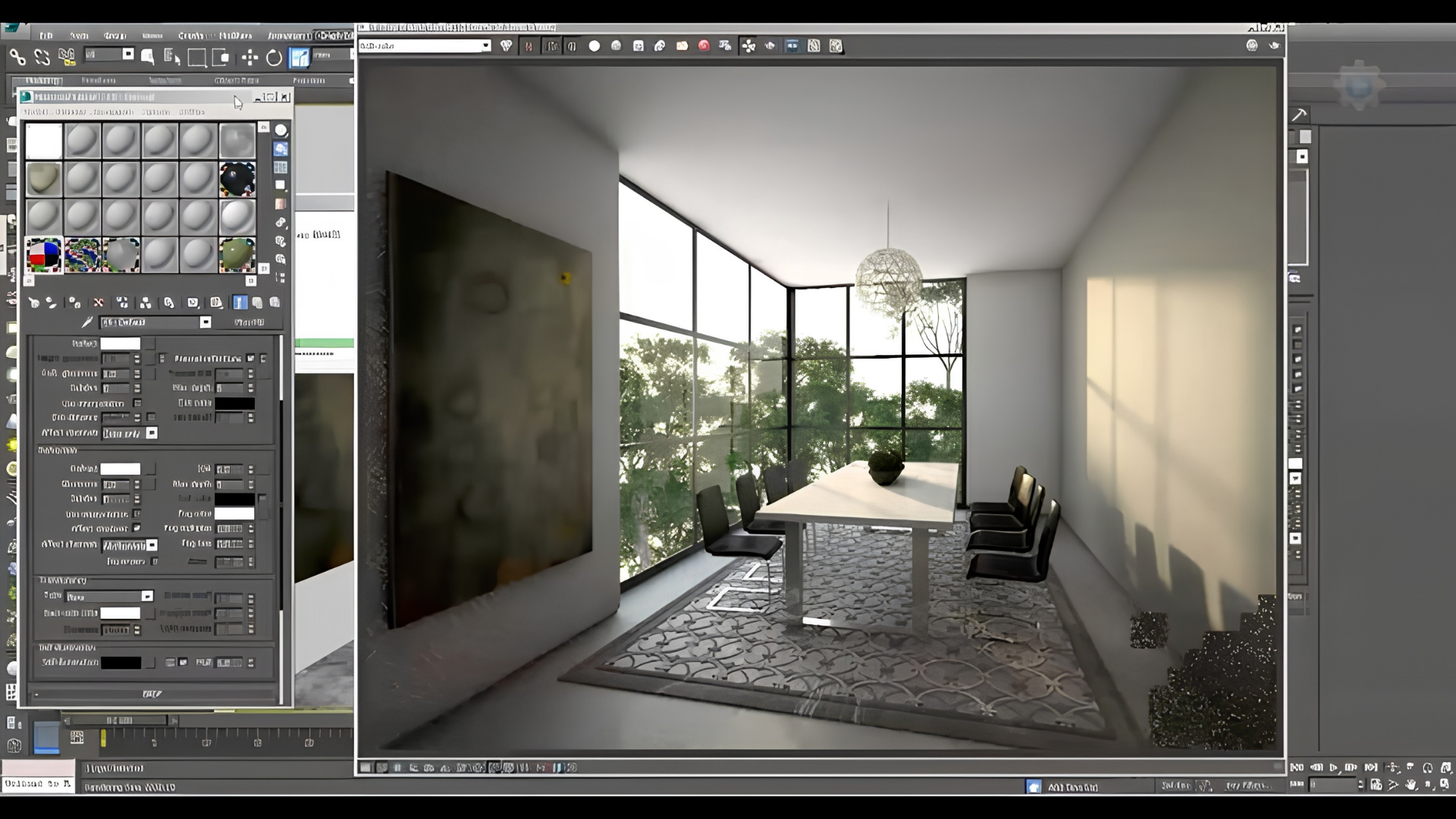
The 3ds Max course at CADDESK Bangalore teaches everything you need to know about 3D modeling, animation, and rendering. Whether you’re just starting out or looking to improve your skills.

Google-colorCreated with Sketch.
⭐⭐⭐⭐⭐4.9 Rating
ISO Certification
100% Placement Assistance
5000+ Students Trained
100% Practical Training
15+ Years Experience

Book Your Free Demo Class

Talk to a counsellor today and unlock your CAD career path.

By submitting, you agree to receive a callback from our team.

The 3ds Max course at CADDESK Bangalore provides comprehensive instruction in 3D modeling, animation, and rendering. Designed for both beginners and those seeking to advance their expertise, the curriculum addresses applications in architectural design, animation, product design, and visual effects. Key topics include 3D modeling, texturing, lighting, and animation, with an emphasis on developing practical skills for real-world projects. Instruction is delivered by trainers with substantial industry experience, offering insights into the professional use of 3ds Max. The course integrates theoretical concepts with practical assignments, enabling participants to apply their knowledge through live projects. Both classroom-based and online training options are available to accommodate diverse learning preferences. Upon successful completion, participants receive an ISO certification recognized internationally and may enhance employment prospects in the animation, gaming, architecture, and design sectors. CADDESK Bangalore also offers job placement assistance by facilitating connections with potential employers. The program emphasizes experiential learning to ensure proficiency in creating professional 3D models and animations. This course is suitable for individuals aiming to begin a career in 3D design or to further develop their existing skills. Best 3ds Max Course in Bangalore. 

15+ Years

Training Excellence

3DS MAX Course from Basics to Advanced

Industry Projects
Practical Exercises
Expert Faculty
Autodesk Standards

Your Complete 3DS MAX Course Learning Journey

Duration

40 Days

Projects

15+ Live Projects

Software

Latest 3DS MAX

Certification

ISO Certificate

Placement Assistance

100%

Mode

Offline + Online

3DS MAX Course Curriculum

Module 1: Introduction to 3ds Max
  • Overview of 3D modeling and animation
  • Installation and setup of 3ds Max
  • Understanding the 3ds Max interface (menus, toolbars, and navigation)
  • Creating and saving projects
  • Basic file management techniques
  • Understanding 3D coordinates and transformations
  • Creating basic geometric shapes (primitives)
  • Modifying objects: move, rotate, scale
  • Introduction to modifiers and their applications
  • Working with splines and curves
  • Polygon modeling: creating complex shapes and structures
  • Using the Editable Poly and Editable Spline tools
  • Understanding and using modifiers: extrusion, bevel, and symmetry
  • Creating and managing groups and instances
  • Techniques for organic modeling (characters, creatures)
  • Introduction to materials and the Material Editor
  • Applying and editing materials on objects
  • Using texture maps (diffuse, bump, specular)
  • UV mapping techniques for complex models
  • Creating realistic materials (wood, metal, glass)
  • Understanding different types of lights in 3ds Max (Omni, Spot, Area)
  • Setting up realistic lighting for scenes
  • Using shadows to enhance realism
  • Introduction to global illumination and advanced lighting techniques
  • Practical exercises in lighting scenarios
  • Introduction to animation concepts (keyframes, timing, and motion)
  • Creating basic animations using keyframes
  • Understanding the timeline and track view
  • Applying motion paths and animating objects
  • Techniques for animating cameras
  • Overview of character rigging and skinning
  • Creating bones and skeletons for character models
  • Weight painting and skinning techniques
  • Animating character movements and expressions
  • Using the CAT (Character Animation Toolkit) for advanced rigging
  • Introduction to rendering concepts and settings
  • Setting up cameras for rendering
  • Understanding rendering engines (Scanline, Mental Ray, V-Ray)
  • Techniques for producing high-quality images and animations
  • Rendering animations and optimizing settings for output
  • Introduction to visual effects (VFX) in 3ds Max
  • Using particle systems and dynamics
  • Creating special effects (smoke, fire, explosions)
  • Basic compositing techniques with After Effects or similar software
  • Practical projects incorporating VFX
  • Applying learned skills in a comprehensive project
  • Planning, designing, and presenting a complete 3D scene or animation
  • Peer reviews and presentations
  • Portfolio development for showcasing work

Companies That Hire Our Students

Placed Students Through CADDESK Marathahalli Bangalore

Build a Successful Career in Design

3D Architectural Visualizer

₹2.8 – ₹4.5 LPA

Architectural Renderer

₹3 – ₹5 LPA

Interior Design Visualizer

₹3 – 5 LPA

Lighting & Rendering Artist

₹5 – 8 LPA

Real Estate Developers

₹3 – 6 LPA

Freelance 3D Artist

₹4 – 8 LPA

Live + Recorded

Learn at your pace

3DS MAX Course Highlights

Live Online Classes
Project-Based Learning
Trainer Support
Flexible Timings
Certification
Placement Assistance

Online 3DS MAX Course Training Centre in Bangalore

The Online 3ds Max Course at CADDESK Bangalore is designed for people who want to learn 3D modeling, animation, and rendering at their own pace, from any location. This program accommodates both beginners and those looking to improve their existing 3ds Max skills. The online training delivers a thorough educational experience equivalent to the in-person course, while offering the flexibility of remote access. Participants acquire basic skills in 3D modeling, texturing, lighting, and animation, and are introduced to advanced techniques such as rigging, V-Ray rendering, and complex animation creation. The curriculum includes video tutorials, assignments, and project-based learning, helping students to acquire practical experience and develop a professional portfolio through real-world 3D projects. Adjustable scheduling allows learners to advance at their own pace, with qualified instructors providing feedback and guidance. The course features interactive live sessions that support direct engagement with teachers and students for questions, clarifications, and discussions. This approach delivers personal attention within the online platform. Upon completion, students receive an ISO certification, recognized globally and beneficial for career progression in animation, architecture, game development, and visual effects. CADDESK Bangalore also offers job placement assistance, connecting graduates with leading employers in the 3D design and animation sectors. The online format is suitable for working professionals, students, and people seeking to upgrade their 3ds Max skills without interrupting their daily routines. Graduates will be equipped to create professional-quality 3D models and animations, positioning them for success in the expanding field of 3D design.

Why CADDESK Bangalore Is the Best 3DS MAX Course Training Institute?

CADDESK Bangalore is known as a top training center for 3ds Max, providing a thorough and practical learning experience. The course is intended for both beginners and professionals, so everyone gets instruction that matches their skill level and goals. Experienced instructors with strong industry backgrounds guide students, helping them learn how to use the software in real-world situations. Students gain technical skills in 3ds Max and learn how it is used in fields like animation, architecture, product design, and visual effects. One of the main strengths of the course is its focus on hands-on learning. Students work on real projects that reflect industry challenges, which helps them build problem-solving skills and practical experience. This kind of training is important for creating strong portfolios, which are key for finding jobs in the competitive 3D design and animation industry. The curriculum covers a wide range of topics, such as 3D modeling, texturing, lighting, rigging, animation, and rendering. It also includes advanced topics like V-Ray rendering and character rigging to help students prepare for specialized roles. CADDESK Bangalore offers both face-to-face and online training, so students can choose the format that works best for them. The online program is interactive, with live sessions, recorded tutorials, and one-on-one instructor support, rendering it accessible to students everywhere. The online platform helps students connect, share ideas, and get feedback from both classmates and instructors. After finishing the course, students receive an ISO certification that is recognized worldwide and adds to their professional reputation. This certification shows what they have learned and can help them find jobs or move forward in their careers. CADDESK Bangalore also offers job placement support, linking graduates with top companies in animation, gaming, architecture, and other fields that need 3ds Max skills. The school uses its business connections to help students find job opportunities. Alumni also get ongoing support, so they stay kept abreast of industry trends and keep improving their skills. With this strong support, a well-rounded curriculum, and experienced teachers, CADDESK Bangalore is regarded as a top choice for anyone looking to build a career in 3D design, animation, or visualization.
Why Choose CADDESK Marathahalli Bangalore

Industry Expert Trainers

Learn directly from professionals working on real-time construction and engineering projects.

100% Practical Training

Every session includes live drafting exercises, software practice, and project implementation.
Placement Assistance

Dedicated placement assistance with interview preparation and resume building.

Latest Software Versions

Practice using updated 3DS MAX tools and workflows used in the industry.

Flexible Batches

Weekday batches available for students and working professionals.

Certification

Receive industry-recognized certification after course completion.
What Our Students Say

FREQUENTLY ASKED QUESTION

What is the minimum requirement for 3ds Max?

Our 3DS MAX course is designed for beginners, students, professionals, and anyone interested in enhancing their design skills. No prior experience in CAD software is necessary.

Is 3ds Max good for modeling?

3ds Max is an incredibly powerful 3D modeling and animation software that is industry-leading. It provides users with a wide range of tools and features to help create complex 3D models and animations.

Can I use 3ds Max without graphics card?

Can’t speak for Revit, but you’ll definitely need a dedicated graphic card for 3dsmax. It’s a heavy application that will eat up a lot of system resources, including RAM. Plus, rendering will be extremely slow with integrated graphics. Highly recommend getting a GPU for your software.

Is 3ds Max free to use?

No, there are no free licenses outside of education. The indie license is the cheapest available outside of that. Please accept as solution and give likes if applicable. As mentioned by Leo, you should look into 3ds Max Indie here

Is 3ds Max beginner friendly?

Intuitive Interface: Despite its advanced capabilities, 3ds Max features an intuitive interface that is accessible to beginners. With its user-friendly layout and extensive documentation, aspiring artists can quickly familiarize themselves with the software and start creating captivating 3D content.

Explore Related Courses