







































Autocad Mechanical Course Training Centre In Bangalore

The AutoCAD Mechanical Course at Caddesk Bangalore is a specialized training program designed for professionals and students in mechanical engineering who wish to enhance their CAD skills using AutoCAD Mechanical. This software is widely used for creating precise and detailed 2D and 3D drawings of mechanical components, assemblies, and systems. 

Google-colorCreated with Sketch.
⭐⭐⭐⭐⭐4.9 Rating
ISO Certification
100% Placement Assistance
5000+ Students Trained
100% Practical Training
15+ Years Experience

Book Your Free Demo Class

Talk to a counsellor today and unlock your CAD career path.

By submitting, you agree to receive a callback from our team.

The AutoCAD Mechanical Course at Caddesk Bangalore is designed to provide comprehensive training in AutoCAD’s specialized features for mechanical design and drafting. AutoCAD Mechanical is one of the leading software solutions used in mechanical engineering for creating precise and detailed 2D and 3D drawings of mechanical systems, components, and assemblies. This course is ideal for professionals and students in the mechanical engineering field who want to enhance their CAD skills, particularly for mechanical design. The course begins by introducing students to the AutoCAD Mechanical interface, tools, and commands. Students will learn how to use AutoCAD Mechanical to create and modify mechanical drawings efficiently, including the creation of parts, assemblies, and detailed drawings for mechanical systems. The course also covers key features of AutoCAD Mechanical, such as the extensive libraries of standard parts, automated dimensioning, and the ability to generate bills of materials (BOMs) and other related documentation. These features are tailored specifically for mechanical engineering projects, making AutoCAD Mechanical a powerful tool for professionals in the field. Throughout the course, students will be exposed to various drawing techniques, such as creating 2D sketches, 3D models, and layouts for mechanical components. They will also learn how to create and manage engineering drawings, ensuring that they meet industry standards for mechanical design. The course provides ample opportunity for hands-on practice, allowing students to apply their learning to real-world mechanical design projects and challenges. This practical approach ensures that students will gain the skills they need to efficiently produce mechanical drawings that meet industry standards. Caddesk Bangalore ensures that students receive personalized attention and support from expert instructors, who are experienced in mechanical engineering and AutoCAD. The course is taught by professionals with practical experience in the field, providing valuable insights and tips to help students improve their design skills and efficiency. Students are encouraged to work on projects and assignments that mirror actual engineering challenges, further enhancing their learning experience. The AutoCAD Mechanical Course is available in both offline and online formats. The offline training provides a more interactive learning environment where students can directly engage with instructors, ask questions, and get immediate feedback. The online course offers flexibility, allowing students to learn at their own pace and from any location. Both options offer the same high-quality content and resources, making it convenient for students to choose the format that best fits their schedules. Upon successful completion of the AutoCAD Mechanical Course, students will receive a certificate from Caddesk Bangalore, which is recognized in the industry. This certification not only validates their skills in AutoCAD Mechanical but also serves as a valuable addition to their professional credentials, making them more competitive in the job market. AutoCAD Mechanical Course at Caddesk Bangalore provides in-depth training in the tools and techniques needed for mechanical design using AutoCAD. With expert instruction, hands-on experience, and flexible learning options, the course prepares students for careers in mechanical engineering, design, and drafting. Whether you’re looking to enhance your skills or start your journey in mechanical design, Caddesk Bangalore offers the training and resources needed to succeed. Best AutoCAD Mechanical Course in Bangalore.

15+ Years

Training Excellence

Autocad Mechanical Course from Basics to Advanced

Industry Projects
Practical Exercises
Expert Faculty
Autodesk Standards

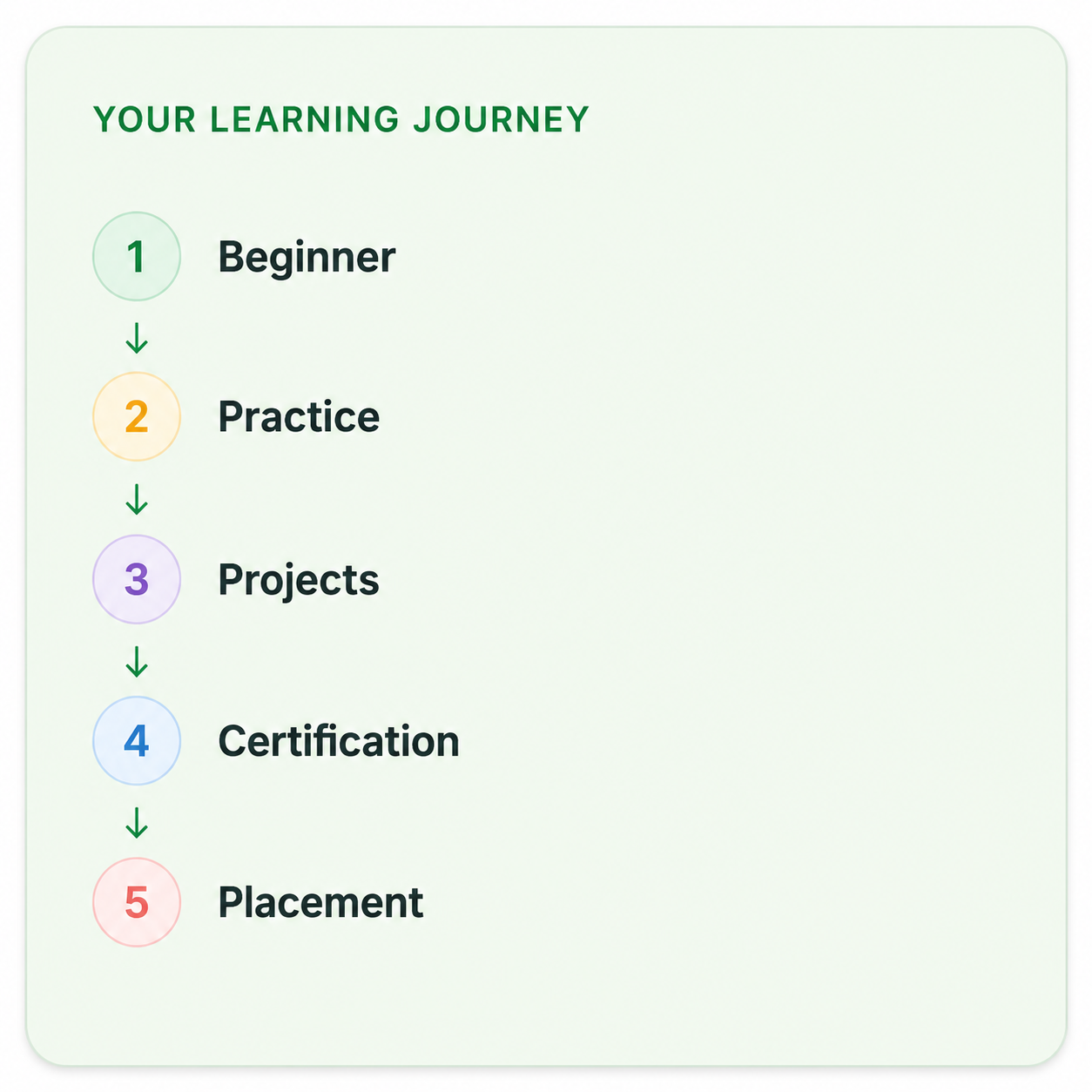
Your Complete Autocad Mechanical Course Learning Journey

Duration

40 Days

Projects

15+ Live Projects

Software

Latest AutoCAD

Certification

ISO Certificate

Placement Assistance

100%

Mode

Offline + Online

Autocad Mechanical Course Curriculum

Module 1: Introduction to AutoCAD Mechanical
  • Overview of AutoCAD Mechanical features and benefits.
  • Understanding the user interface and workspace customization.
  • Introduction to drawing setup and units of measurement.
  • Using basic drawing tools (line, circle, arc, etc.).
  • Editing tools (move, copy, rotate, scale, etc.).
  • Layer management and properties.
  • Understanding ANSI and ISO standards for mechanical drawings.
  • Applying standard practices for dimensioning and tolerancing.
  • Importance of title blocks, revision blocks, and notes.
  • Exploring the toolset for mechanical design (parts, assemblies, etc.).
  • Inserting standard components from libraries.
  • Customizing component libraries and symbols.
  • Creating complex geometries using advanced drawing tools.
  • Techniques for creating and using dynamic blocks.
  • Applying hatching patterns and gradients.
  • Techniques for creating 2D representations of mechanical components.
  • Introduction to 3D modeling tools and techniques.
  • Creating 3D solids and surfaces.
  • Generating assembly drawings from 3D models.
  • Creating and managing bills of materials.
  • Understanding assembly constraints and relationships.
  • Automating repetitive tasks with scripts and macros.
  • Customizing the AutoCAD Mechanical environment for efficiency.
  • Creating custom tool palettes and menus.
  • Adding dimensions, leaders, and text annotations to drawings.
  • Creating detailed notes and callouts for clarity.
  • Preparing drawings for presentation and printing.
  • Understanding file formats and data management in AutoCAD.
  • Techniques for sharing drawings and collaborating with teams.
  • Using cloud services for file sharing and project management.

Companies That Hire Our Students

Placed Students Through CADDESK Marathahalli Bangalore

Build a Successful Career in Design

AutoCAD Mechanical Designer

₹2.5 – ₹5 LPA

Mechanical Design Engineer

₹3 – ₹6 LPA

CAD Design Engineer

₹3 – ₹5.5 LPA

Production Design Engineer

₹3 – ₹5.5 LPA

Product Design Engineer

₹3.5 – ₹6 LPA

Mechanical Draftsman

₹2.5 – ₹4.5 LPA

AutoCAD Mechanical training Centre in Bangalore

Live + Recorded

Learn at your pace

Autocad Mechanical Course Highlights

Live Online Classes
Project-Based Learning
Trainer Support
Flexible Timings
Certification
Placement Assistance

Online Autocad Mechanical Course Training Centre in Bangalore

The Online AutoCAD Mechanical Course at Caddesk Bangalore is designed to provide professionals and students with the flexibility to learn and master AutoCAD Mechanical from anywhere at their own pace. This course is ideal for those in mechanical engineering or design fields who want to improve their skills in creating detailed 2D and 3D mechanical drawings using one of the most widely used CAD tools in the industry. In this Online AutoCAD Mechanical Course, students will be introduced to the AutoCAD Mechanical interface and essential tools that are specifically designed for mechanical design. They will learn how to create and modify mechanical parts, assemblies, and detailed drawings, while also understanding how to integrate standard parts libraries, which save time and ensure consistency in designs. The course covers key topics such as drafting mechanical components, creating accurate layouts, and applying the software’s features like automated dimensioning, annotations, and bill of materials (BOM) generation. The Online AutoCAD Mechanical Course is structured to provide hands-on experience through practical exercises and projects. Students will work on real-world design challenges, allowing them to apply their knowledge to various mechanical systems and components. The course is built to ensure that students gain proficiency in creating mechanical drawings that meet industry standards, making them job-ready upon completion. As students progress, they will also gain insight into creating 3D models and assemblies, which are crucial in modern mechanical design workflows. One of the key advantages of the online format is the flexibility it offers. Students can access course materials, video lectures, and assignments at any time and from anywhere. This allows them to learn at their own pace, making the course an excellent choice for working professionals or those with time constraints. In addition, the online course includes interactive tools such as discussion forums and instructor support, where students can ask questions and get guidance from experienced instructors. The Caddesk Bangalore instructors are industry experts with practical knowledge of both mechanical engineering and AutoCAD Mechanical. They offer valuable insights, tips, and real-world applications that help students understand how to use the software in professional scenarios. The course also provides the opportunity for students to work on projects and assignments that mirror actual mechanical design challenges, ensuring that they develop practical, applicable skills. Upon completing the Online AutoCAD Mechanical Course, students will receive a certification from Caddesk Bangalore, which is recognized in the industry. This certification validates their expertise in AutoCAD Mechanical and provides a competitive edge when seeking employment or career advancement in the field of mechanical design and drafting. Online AutoCAD Mechanical Course at Caddesk Bangalore offers a flexible and comprehensive learning experience for individuals looking to enhance their mechanical design skills. With expert instructors, hands-on practice, and a curriculum tailored to real-world applications, this course equips students with the skills they need to succeed in the field of mechanical engineering. Whether you’re a beginner or looking to refine your existing skills, the online course provides the tools and knowledge needed to master AutoCAD Mechanical and advance your career. Best AutoCAD Mechanical course in Bangalore .

Why CADDESK Bangalore Is the Best Autocad Mechanical Course Training Institute?

Caddesk Bangalore is one of the leading institutes for learning AutoCAD Mechanical in Bangalore. Known for its expert trainers and practical approach, it provides a solid foundation for anyone looking to master mechanical design using AutoCAD. The instructors at Caddesk Bangalore are professionals with hands-on experience in the field, offering valuable insights into the software and its real-world applications. This makes learning more relevant and useful for students aiming to work in mechanical engineering. The AutoCAD Mechanical Course at Caddesk Bangalore is designed to cover all aspects of the software, from basic operations to more complex design techniques. It includes essential tools such as the standard parts library, automated dimensioning, and generating bills of materials (BOM). Students are trained in creating mechanical parts, assemblies, and drawings that comply with industry standards, ensuring that they are prepared for professional projects and challenges. Practical training is an integral part of the AutoCAD Mechanical Course. Caddesk Bangalore emphasizes hands-on experience, offering assignments and projects that mirror real-world mechanical design scenarios. This allows students to apply their knowledge directly and gain the confidence needed to tackle industry-specific tasks. The course is structured to provide continuous exposure to the software’s powerful features, ensuring students are well-prepared to work on complex mechanical designs. The flexibility of the course is another highlight of Caddesk Bangalore. Students can choose between offline and online options, depending on what suits their schedule. The offline classes provide a direct interaction with instructors, while the online option allows students to learn from anywhere, at their own pace. This makes the course accessible to professionals, students, and anyone with time constraints. At the end of the AutoCAD Mechanical Course, students receive a certificate from Caddesk Bangalore. This certification helps validate their proficiency in AutoCAD Mechanical, which is recognized across industries. The skills learned during the course enhance career opportunities, allowing graduates to pursue roles in mechanical engineering, design, and drafting. Caddesk Bangalore is known for providing quality education with a focus on practical application. With experienced instructors, hands-on training, and flexible learning options, it stands out as a top choice for anyone seeking to improve their AutoCAD Mechanical skills. Best AutoCAD Mechanical course in Bangalore. 

Why Choose CADDESK Marathahalli Bangalore

Industry Expert Trainers

Learn directly from professionals working on real-time construction and engineering projects.

100% Practical Training

Every session includes live drafting exercises, software practice, and project implementation.

Placement Assistance

Dedicated placement assistance with interview preparation and resume building.

Latest Software Versions

Practice using updated AutoCAD tools and workflows used in the industry.

Flexible Batches

Weekday batches available for students and working professionals.

Certification

Receive industry-recognized certification after course completion.

What Our Students Say

FREQUENTLY ASKED QUESTION

Which CAD software is used for mechanical engineering?

AutoCAD is a 3D program that allows you to document CAD models, reuse mechanical drawing detailing tools. It enables you to create rectangles from a ribbon, restore and isolate layer groups and much more. AutoCAD Mechanical provides a huge library of standard parts and international drafting standards support.

What topics are covered in the AutoCAD course?

The course covers a range of topics, including basic drawing techniques, modifying drawings, dimensioning, annotations, 3D modeling, and project management. Students also engage in a capstone project to apply their skills.

Will I receive a certification after completing the course?

Yes, upon successful completion of the AutoCAD course, students will receive a certificate from Caddesk Marathahalli, which can enhance their resume and showcase their skills to potential employers.

Are there any prerequisites for enrolling in the course?

No prior knowledge of AutoCAD or design software is required. However, a basic understanding of computer operations and familiarity with design concepts can be beneficial.

Can I take the course online?

Yes, we offer online classes for the AutoCAD course. Students can participate remotely and still receive the same quality of instruction and resources as in-person classes.

How do I enroll in the AutoCAD course?

To enroll, you can visit our website or contact our admissions office at Caddesk Marathahalli. We will guide you through the registration process and provide you with all the necessary information.

What is the teaching methodology used in the course?

The course combines theoretical lectures with hands-on practical sessions, group projects, and individual assignments. This approach ensures that students not only learn the concepts but also apply them in real-world scenarios.

How long is the AutoCAD course?

The duration of the course typically ranges from 30 to 35 Days, depending on the intensity and schedule. Classes can be conducted on weekdays or weekends, catering to different availability.

What career opportunities are available after completing the AutoCAD course?

Graduates can pursue various career paths, including roles as draftspersons, architects, civil engineers, mechanical engineers, interior designers, and more. The skills gained in this course are highly sought after in the job market.

What support is available for students during the course?

Students have access to instructors for support and guidance throughout the course. Additionally, we provide resources such as tutorials, practice exercises, and online forums for discussion and collaboration.

Explore Related Courses