






















Twinmotion Course Training Centre In Bangalore

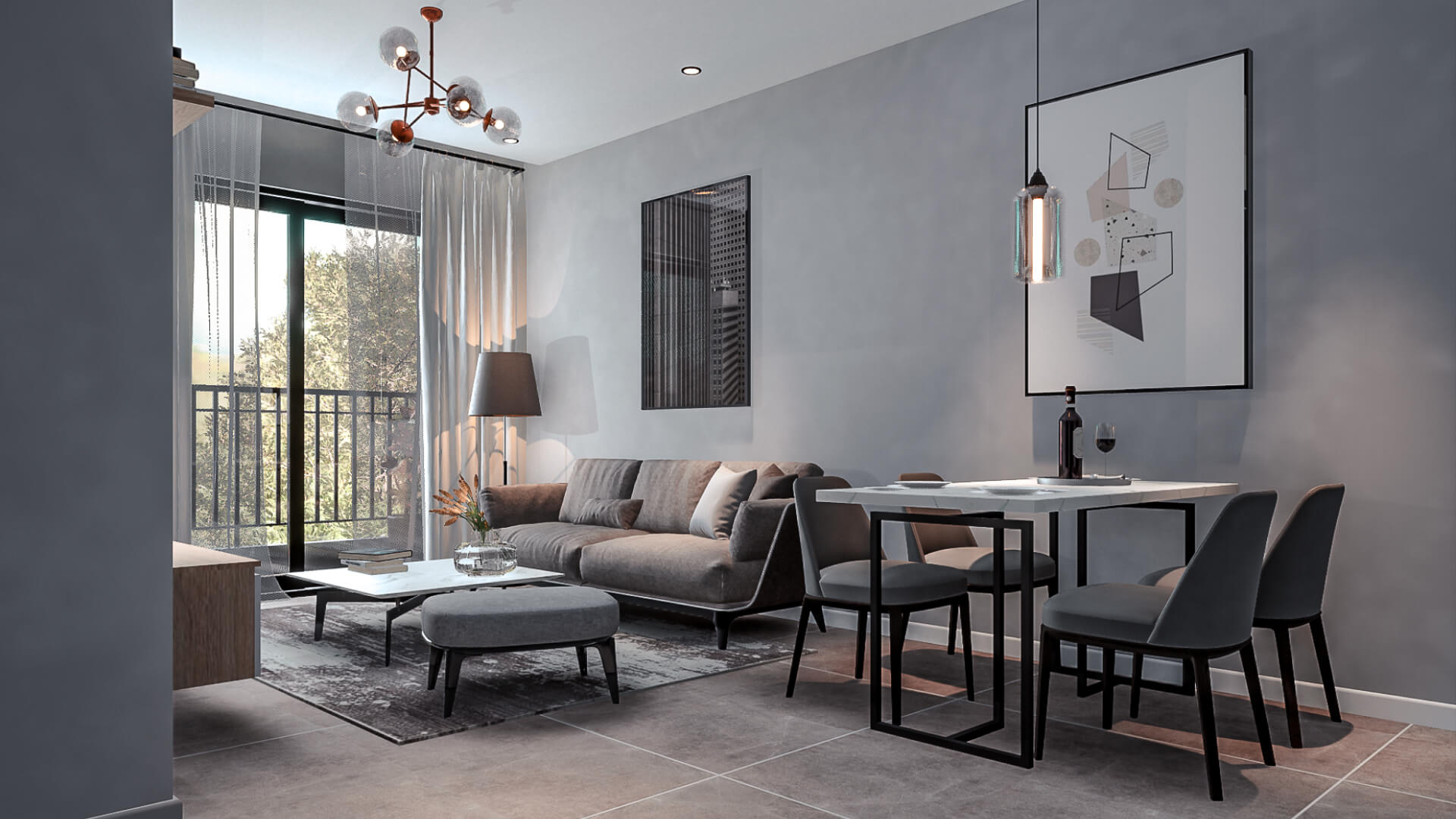
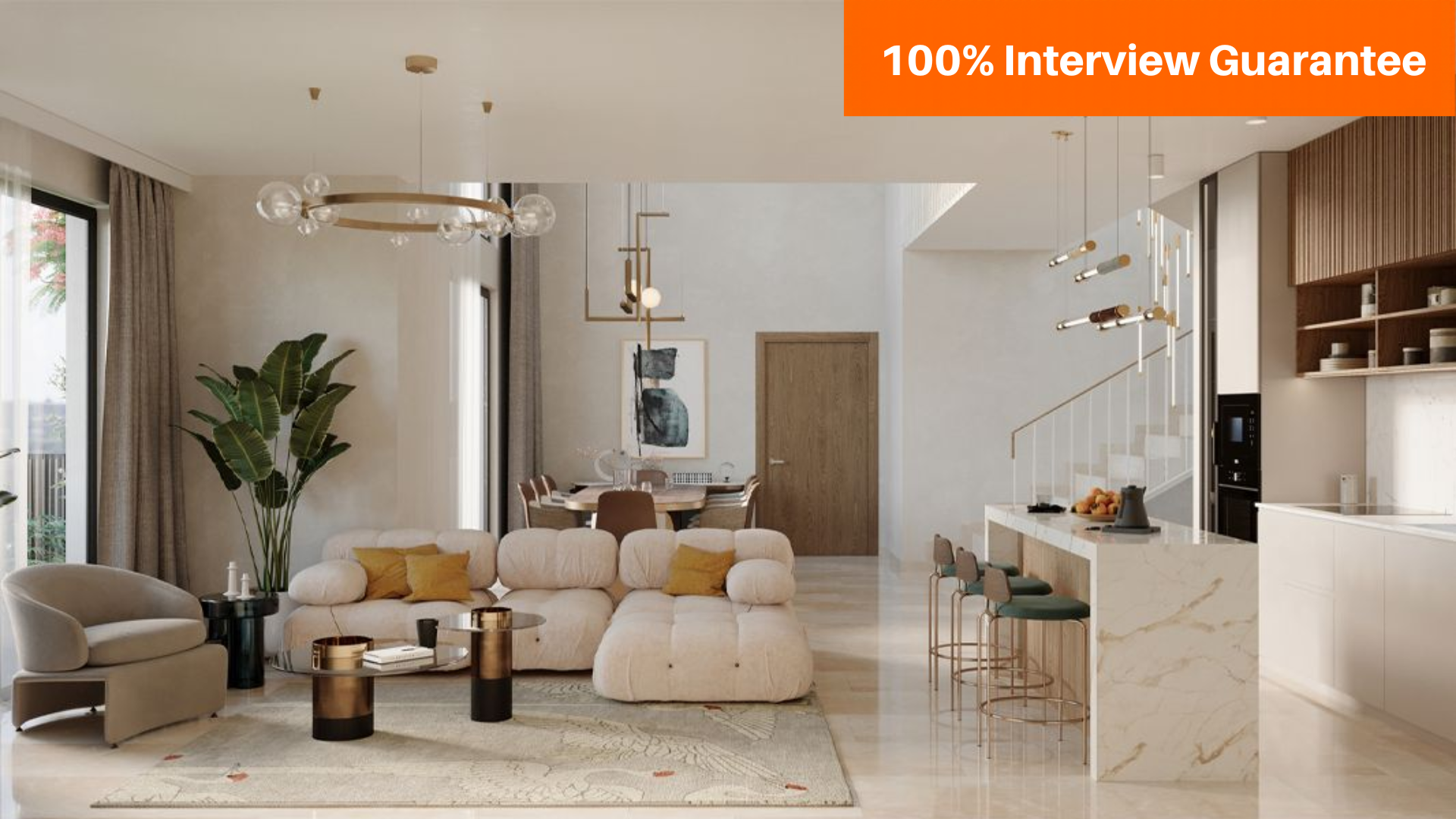
The Twinmotion Course at Caddesk Bangalore is an essential program for professionals and students seeking to enhance their skills in architectural visualization, 3D rendering, and real-time animation using the powerful Twinmotion software.

Google-colorCreated with Sketch.
⭐⭐⭐⭐⭐4.9 Rating
ISO Certification
100% Placement Assistance
5000+ Students Trained
100% Practical Training
15+ Years Experience

Book Your Free Demo Class

Talk to a counsellor today and unlock your CAD career path.

By submitting, you agree to receive a callback from our team.

The Twinmotion Course at Caddesk Bangalore is tailored to provide students with essential expertise in 3D visualization and architectural rendering using Twinmotion software. As one of the leading tools in the architecture, engineering, and construction (AEC) industries, Twinmotion allows professionals to create high-quality, photorealistic 3D renderings and visualizations. This Twinmotion course in Bangalore covers everything from the basic functions of the software to advanced rendering techniques, equipping students with the skills needed to produce professional-grade architectural visualizations. Whether you’re an architect, urban planner, or designer, this course provides an opportunity to master a tool that enhances design presentations and brings concepts to life. In the Twinmotion Course, students will gain hands-on experience with importing models, applying materials, and configuring lighting to create realistic environments. The course highlights the importance of environmental design, such as integrating trees, vegetation, weather effects, and water features, which helps add depth and realism to scenes. These features are particularly useful for landscape designers and urban planners who want to showcase their work in a more immersive, interactive way. The Twinmotion training at Caddesk Bangalore enables students to create dynamic animations, walkthroughs, and fly-throughs, showcasing their designs from multiple perspectives and engaging audiences in a meaningful way. Students will also gain expertise in handling lighting, reflections, and shadows, all of which play a critical role in achieving photorealism in architectural renderings. At Caddesk Bangalore, the Twinmotion training centre is equipped with state-of-the-art tools and technologies to help students get the best learning experience. The instructors are industry experts with years of hands-on experience in architectural visualization and rendering. Their practical insights and real-world knowledge enrich the learning process, enabling students to grasp the nuances of Twinmotion software and how to apply it in actual projects. Whether you’re starting from scratch or looking to expand your existing skills, the instructors at Caddesk Bangalore ensure personalized attention and guidance throughout the course. The Twinmotion Course in Bangalore at Caddesk Bangalore is available in both offline and online formats, making it convenient for students with different learning preferences. The online Twinmotion course offers the flexibility of learning at your own pace, while still receiving expert support and feedback from the instructors. This flexibility makes it easier for working professionals and students to balance their learning with other responsibilities. The offline training provides a more traditional classroom experience, where students can directly interact with instructors and classmates, allowing for collaborative learning and networking.Upon successful completion of the Twinmotion course at Caddesk Bangalore, students will receive an ISO certification. This internationally recognized certification validates the skills and knowledge acquired during the course and is a valuable addition to any professional’s resume. The ISO certification enhances employability in various sectors, including architecture, urban planning, interior design, and construction. As a leading Twinmotion institute in Bangalore, Caddesk Bangalore not only offers quality education but also provides placement assistance to help graduates find employment opportunities with top companies in the industry. Students who choose Caddesk Bangalore for their Twinmotion training can also expect comprehensive career support and guidance. With a strong industry network, Caddesk Bangalore helps students build a portfolio of renderings and animations that can be showcased to potential employers. The practical skills gained during the course enable students to step into roles that require expertise in 3D visualization, such as architectural visualization artist, 3D rendering specialist, or design consultant. Whether pursuing a career in architecture, real estate, or design, graduates are well-equipped to present ideas and concepts effectively using Twinmotion. Caddesk Bangalore stands out as the top choice for those looking to master Twinmotion. With expert trainers, a comprehensive curriculum, both offline and online options, and an ISO certification, Caddesk Bangalore ensures students receive the best possible training. Whether you’re an experienced professional or a beginner, the Twinmotion Course offered at Caddesk Bangalore provides the tools and knowledge you need to succeed in the field of architectural visualization. Best Twinmotion course in Bangalore.

15+ Years

Training Excellence

Twinmotion Course from Basics to Advanced

Industry Projects
Practical Exercises
Expert Faculty
Autodesk Standards

Your Complete Twinmotion Course Learning Journey

Duration

40 Days

Projects

15+ Live Projects

Software

Latest Twinmotion

Certification

ISO Certificate

Placement Assistance

100%

Mode

Offline + Online

Twinmotion Course Curriculum

Module 1: Introduction to Twinmotion
  • Overview of Twinmotion and its applications in architecture, design, and urban planning.
  • Key features and benefits of using Twinmotion for visualization.
  • System requirements and software installation.
  • Introduction to the Twinmotion interface and workspace layout.
  • Navigating the 3D environment and basic controls.
  • Understanding project settings and preferences.
  • Techniques for importing models from various software (Revit, SketchUp, ArchiCAD, Rhino).
  • Preparing models for Twinmotion and optimizing file formats.
  • Importing and managing assets within Twinmotion.
  • Adding and customizing materials and textures.
  • Using the asset library to populate scenes with objects (furniture, vegetation, people, vehicles).
  • Adjusting object properties, including scale, rotation, and position.
  • Exploring lighting options: natural light (sun), artificial light sources, and shadows.
  • Creating atmospheric effects (fog, rain, and seasonal changes).
  • Using HDRI images for realistic lighting scenarios.
  • Understanding 3D coordinates and view manipulation
  • Creating basic 3D shapes (boxes, cylinders, spheres)
  • Editing 3D objects using 3D editing tools
  • Introduction to rendering: setting up materials and lighting
  • Creating and modifying 3D solids and surfaces
  • Working with 3D views and visual styles
  • Rendering techniques for realistic presentations
  • Introduction to dynamic blocks and their applications
  • Best practices for file management and drawing standards
  • Using external references (Xrefs) in projects
  • Sharing and collaborating on drawings
  • Printing and plotting drawings: setup and options
  • Applications in architecture, engineering, and manufacturing
  • Case studies: real-world projects and solutions
  • Introduction to specialized AutoCAD tools (e.g., AutoCAD Architecture, AutoCAD Mechanical)
  • Applying learned skills in a comprehensive project
  • Planning, designing, and presenting a complete set of drawings
  • Peer reviews and presentations

Companies That Hire Our Students

Placed Students Through CADDESK Marathahalli Bangalore

Build a Successful Career in Design

Twinmotion Visualization Artist

₹3 – ₹5.5 LPA

Architectural Visualizer

₹3 – ₹5.5 LPA

3D Visualization Artist

₹3 – 6 LPA

Interior Visualization Designer

₹3 – ₹5.5 LPA

Architectural Rendering Specialist

₹3 – 6 LPA

Real Estate Visualization Artist

₹3 – 6 LPA

Live + Recorded

Learn at your pace

Twinmotion Course Highlights

Live Online Classes
Project-Based Learning
Trainer Support
Flexible Timings
Certification
Placement Assistance

Online Twinmotion Course Training Centre in Bangalore

The Online Twinmotion Course at Caddesk Bangalore is designed for individuals looking to master the art of creating photorealistic 3D visualizations and immersive animations using Twinmotion, a powerful real-time rendering software. This course offers a deep dive into the features of Twinmotion, enabling students to create high-quality visualizations for architectural, urban planning, and design projects. As part of the Online Twinmotion Course, students will learn the fundamentals of the software, including importing 3D models, applying materials, textures, and lighting, and customizing environments to create realistic scenes. The course covers how to integrate elements such as trees, water features, and dynamic lighting to enhance the realism of visualizations. Additionally, students will gain the ability to create interactive 3D presentations that allow clients and stakeholders to explore design concepts in a more engaging manner. This Online Twinmotion Course is suitable for beginners as well as experienced users who want to improve their visualization skills. The course curriculum is structured in a way that provides step-by-step guidance, ensuring that students learn the software’s tools and techniques efficiently. The course focuses on practical application, allowing students to create detailed renderings and animations that showcase their design concepts effectively. The Online Twinmotion Course at Caddesk Bangalore is flexible and convenient, offering students the opportunity to learn at their own pace. The course is fully online, so students can access the material anytime, from anywhere. With expert instructors available to guide students and answer questions, learners are able to make the most of their educational experience. The course also includes assignments and real-world projects to help students apply what they have learned and gain hands-on experience with the software. Upon completing the Online Twinmotion Course, students will have the skills needed to create stunning 3D visualizations and animations that can be used for client presentations, portfolio development, or design showcase. Whether you’re an architect, interior designer, urban planner, or 3D visualization professional, this course will help you take your projects to the next level. Caddesk Bangalore provides an ISO certification upon successful completion of the course, which adds value to your professional credentials and enhances your career prospects. Whether you’re looking to expand your skill set or move into the field of architectural visualization, this course is a perfect fit for professionals seeking to enhance their design presentation capabilities using Twinmotion. Caddesk Bangalore stands out as one of the leading institutions offering the best Twinmotion course in Bangalore. With industry-experienced instructors, a structured curriculum, and flexible learning options, Caddesk Bangalore offers the ideal platform for individuals who want to gain expertise in 3D visualization and animation with Twinmotion. Best Twinmotion course in Bangalore. 

Why CADDESK Bangalore Is the Best Twinmotion Course Training Institute?

Caddesk Bangalore is recognized as the best destination for Twinmotion Course training due to its industry-relevant curriculum, expert instructors, and comprehensive hands-on learning approach. Whether you’re a beginner or looking to enhance your 3D visualization skills, Caddesk Bangalore offers the ideal environment to master Twinmotion software and take your architectural and design presentations to the next level. One of the key reasons Caddesk Bangalore stands out as the top choice for a Twinmotion Course in Bangalore is its experienced faculty. The instructors are industry experts with years of practical experience in architectural design and 3D visualization. They provide valuable insights into the software and real-world applications, ensuring that students not only learn how to use the software but also how to implement it effectively in professional scenarios. Additionally, the Twinmotion Course at Caddesk Bangalore focuses on practical, hands-on learning. Students engage in live projects and assignments that simulate real-world design challenges, giving them the opportunity to build their portfolios and gain confidence in creating photorealistic renderings, animations, and interactive presentations. The course ensures that each student has access to personalized guidance, which allows them to move at their own pace while mastering the key features of Twinmotion. Caddesk Bangalore also offers flexibility with both offline and online Twinmotion courses, making it accessible to students with different learning preferences. The online course offers the convenience of learning from anywhere while receiving the same high-quality education and support as the offline version. Whether you prefer in-person instruction or the flexibility of online learning, Caddesk Bangalore provides both options, catering to a wide range of learners. The curriculum at Caddesk Bangalore is specifically tailored to meet the demands of the industry. Students are taught how to effectively create interactive 3D presentations, realistic animations, and dynamic renderings that are commonly used in architectural and urban planning projects. Moreover, the course includes coverage of the latest industry practices and technologies, ensuring that students are well-equipped with the skills needed to thrive in the competitive job market. Caddesk Bangalore offers ISO certification upon completion of the Twinmotion Course, adding credibility and value to your qualifications. This certification ensures that students are recognized for their proficiency in using Twinmotion software and are well-prepared to apply their skills in various industries, including architecture, construction, and interior design. Caddesk Bangalore is the best choice for anyone looking to take the Twinmotion Course in Bangalore. With expert instructors, a practical curriculum, flexible learning options, and industry recognition, it provides everything you need to excel in 3D visualization and real-time rendering. Whether you aim to create stunning visualizations for your design projects or improve your career prospects, Caddesk Bangalore equips you with the skills to succeed. Best Twinmotion course in Bangalore. 

Why Choose CADDESK Marathahalli Bangalore

Industry Expert Trainers

Learn directly from professionals working on real-time construction and engineering projects.

100% Practical Training

Every session includes live drafting exercises, software practice, and project implementation.

Placement Assistance

Dedicated placement assistance with interview preparation and resume building.

Latest Software Versions

Practice using updated Twinmotion tools and workflows used in the industry.

Flexible Batches

Weekday batches available for students and working professionals.

Certification

Receive industry-recognized certification after course completion.

What Our Students Say

FREQUENTLY ASKED QUESTION

Is Twinmotion for free?

Twinmotion is free for students, educators, hobbyists, and companies earning under $1 million USD in annual gross revenue.

Is Twinmotion better than Lumion?

It is only if your images are being used for promotional purposes that you would need the highest resolutions. Based on the Lumion vs Twinmotion output quality, they would both be fine for all uses from concepts to commercial use, while Twinmotion would be slightly better for promotional images.

What is Twinmotion used for?

Create offline renderer-quality images, animations, and panoramas, together with interactive 360° videos and VR presentations, all from the same Twinmotion scene. You can even share your work on Twinmotion Cloud via a simple URL.

Is Twinmotion easy to learn?

The animation is strong in twinmotion and it is very easy to use, though when it comes down to the final product I need something that is going to give somewhat realistic lighting and twinmotion has a long way to go even with using its Ray tracing.

Can I import a Revit File into Twinmotion?

Your Revit model can be sent to Twinmotion using the Datasmith Exporter for Revit commands, included with Revit 2024.

Explore Related Courses