
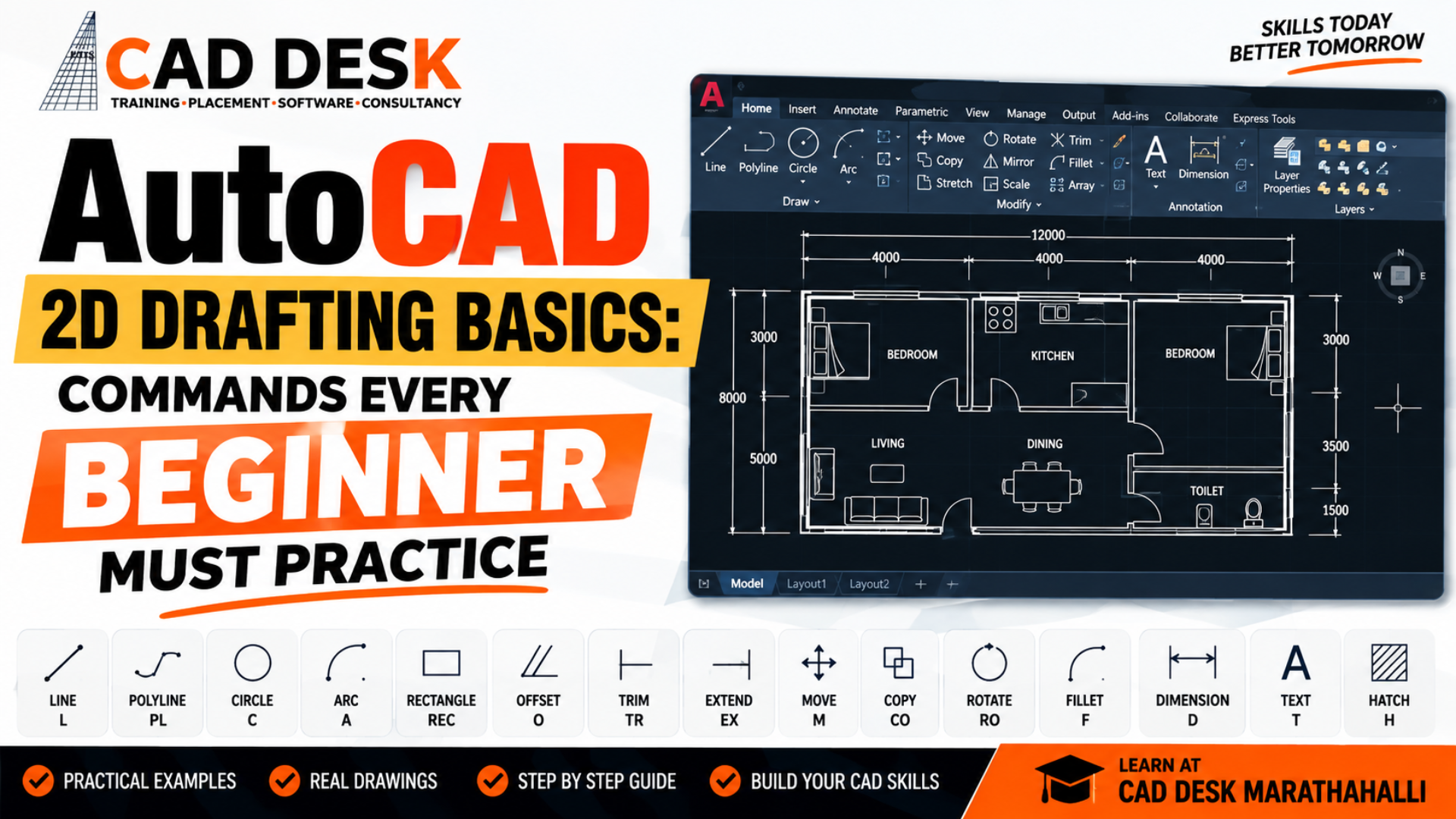
Learning accurate technical drafting is an important first step for students who want to build a career in architecture, civil engineering, interior design, mechanical drafting, and construction. An AutoCAD 2D drafting course in Bangalore can help beginners understand how digital drafting works, from creating simple lines and shapes to developing organized technical drawings. At CADDESK Marathahalli, students can build their AutoCAD foundation through structured learning, command practice, and practical drafting exercises. For beginners, AutoCAD can initially seem difficult because the software contains many commands, tools, settings, and drawing options. An AutoCAD training Center in Bangalore can make the learning process easier by introducing commands step by step and showing how they are used in actual drawings. CADDESK Marathahalli can help learners understand not only individual commands but also how different commands work together to create accurate 2D drawings.
AutoCAD 2D drafting is the process of creating technical drawings using two-dimensional geometry such as lines, circles, arcs, polylines, rectangles, dimensions, text, and other drafting elements. An AutoCAD 2D drafting course in Bangalore can introduce students to these fundamental concepts and help them understand how digital drawings are created and edited. Unlike manual drafting, computer-aided drafting allows users to create, modify, copy, move, measure, and organize drawing elements efficiently. An AutoCAD training Center in Bangalore can help beginners understand these advantages through practical exercises. At CADDESK Marathahalli, students can gradually move from basic geometry to complete drafting layouts.
A strong foundation in 2D drafting can be useful for students pursuing careers related to architecture, civil engineering, mechanical design, interior design, and construction. An AutoCAD 2D drafting course in Bangalore can help learners develop accuracy, drawing discipline, command familiarity, and technical documentation skills. AutoCAD also provides a foundation for learning other design and BIM applications. An AutoCAD training Center in Bangalore can help students understand concepts such as layers, dimensions, scales, drawing organization, and technical documentation before they progress toward more advanced software.
Beginners should not try to learn every AutoCAD command at once. An AutoCAD 2D drafting course in Bangalore should ideally begin with the interface, drawing setup, coordinates, basic geometry, modification tools, object selection, and drawing accuracy. At an AutoCAD training Center in Bangalore, students can then progress toward layers, annotation, dimensions, blocks, layouts, and plotting. CADDESK Marathahalli can provide a structured learning approach where beginners can practice each group of commands before moving to more advanced drafting tasks.
Before practicing commands, beginners need to understand the AutoCAD interface. An AutoCAD 2D drafting course in Bangalore can introduce areas such as the ribbon, command line, drawing area, properties panel, status bar, navigation tools, and workspace options.
The command line is particularly important because many AutoCAD operations can be started by typing command names or shortcuts. An AutoCAD training Center in Bangalore can teach students how to use the command line efficiently instead of depending entirely on menus and icons.
Understanding the interface also helps beginners work faster. An AutoCAD 2D drafting course in Bangalore can show learners how to customize their workspace and use frequently accessed tools while maintaining an organized drawing environment.
1. LINE Command
The LINE command is one of the first commands beginners should practice. An AutoCAD 2D drafting course in Bangalore can use the LINE command to teach students how to create straight-line geometry between specified points.
The basic workflow is simple:
LINE → Select First Point → Select Second Point → Enter
At an AutoCAD training Center in Bangalore, students can practice horizontal, vertical, diagonal, and connected lines while learning how coordinates and object snaps improve accuracy.
The LINE command is used in many types of technical drawings. An AutoCAD 2D drafting course in Bangalore can demonstrate how several individual lines can be combined to create walls, boundaries, components, construction details, and other drawing elements.
2. POLYLINE Command
A polyline is a connected sequence of line and arc segments that behaves as a single object. An AutoCAD 2D drafting course in Bangalore can teach beginners why polylines are useful when creating continuous boundaries and drawing objects.
Polylines can be particularly useful for shapes that need to remain connected. At an AutoCAD training Center in Bangalore, students can compare LINE and POLYLINE and understand how selecting and editing these objects differs.
Practicing POLYLINE also helps beginners understand the importance of maintaining clean geometry. An AutoCAD 2D drafting course in Bangalore can include exercises where learners create building outlines, site boundaries, mechanical profiles, and other continuous shapes.
3. CIRCLE Command
The CIRCLE command is another fundamental AutoCAD tool. An AutoCAD 2D drafting course in Bangalore can teach students different ways of creating circles using a center point and radius or diameter.
Circles are common in mechanical drawings, architectural details, electrical layouts, plumbing drawings, and many other technical applications. An AutoCAD training Center in Bangalore can help students practice creating circles with precise dimensions rather than estimating their size visually.
Beginners should practice circles with different radii and diameters. An AutoCAD 2D drafting course in Bangalore can combine the CIRCLE command with object snaps and dimensions to improve drawing accuracy.
4. ARC Command
The ARC command allows users to create curved geometry. An AutoCAD 2D drafting course in Bangalore can introduce beginners to different methods of creating arcs and explain how start points, endpoints, centers, angles, and radii affect the resulting geometry.
Arcs are frequently used in mechanical components, architectural details, rounded corners, road layouts, and other technical drawings. At an AutoCAD training Center in Bangalore, learners can practice different arc construction methods through simple exercises.
Understanding arcs also prepares students for more advanced editing commands. An AutoCAD 2D drafting course in Bangalore can combine ARC with FILLET, TRIM, EXTEND, and other modification tools.
5. RECTANGLE Command
The RECTANGLE command allows users to quickly create rectangular shapes. An AutoCAD 2D drafting course in Bangalore can use this command to teach students how to specify length and width accurately.
Rectangles are frequently used as the starting geometry for rooms, furniture, panels, components, layouts, and many other technical elements. An AutoCAD training Center in Bangalore can help learners practice creating rectangles with specific dimensions.
Beginners should avoid relying only on mouse movements when precise dimensions are required. An AutoCAD 2D drafting course in Bangalore can teach students how to enter exact values using the command line and dynamic input.
6. POLYGON Command
The POLYGON command creates regular polygonal shapes. An AutoCAD 2D drafting course in Bangalore can introduce students to polygon options such as the number of sides and the method used to define the polygon.
Although beginners may not use polygons as frequently as lines or circles, practicing this command helps them understand geometric construction. At an AutoCAD training Center in Bangalore, students can create triangles, pentagons, hexagons, and other regular shapes.
Learning POLYGON also improves students’ understanding of geometric relationships. An AutoCAD 2D drafting course in Bangalore can use these exercises as a bridge toward more detailed technical drawing.
7. ERASE Command
The ERASE command is one of the simplest but most important modification commands. An AutoCAD 2D drafting course in Bangalore should teach students how to select unwanted objects and remove them from the drawing.
Beginners should practice selecting individual objects and multiple objects. At an AutoCAD training Center in Bangalore, students can also learn different selection methods and understand how selection windows affect which objects are selected.
Learning to edit drawings efficiently is just as important as creating them. An AutoCAD 2D drafting course in Bangalore can therefore give modification commands equal importance alongside drawing commands.
8. MOVE Command
The MOVE command allows users to reposition objects without recreating them. An AutoCAD 2D drafting course in Bangalore can teach beginners how to select an object, specify a base point, and move it to a new location.
The command is useful when adjusting layouts, repositioning components, or correcting drawing arrangements. At an AutoCAD training Center in Bangalore, students can practice MOVE using exact distances and object snaps.
Learning MOVE also teaches an important CAD principle: objects can be modified without being redrawn. An AutoCAD 2D drafting course in Bangalore can help beginners develop this editing mindset.
9. COPY Command
COPY is one of the most useful productivity commands in AutoCAD. An AutoCAD 2D drafting course in Bangalore can teach students how to duplicate existing objects while preserving their original geometry.
For example, a student creating multiple similar windows or repeated mechanical components can copy an existing object instead of drawing each one from scratch. An AutoCAD training Center in Bangalore can demonstrate how COPY saves time while maintaining consistency.
Beginners should practice copying objects horizontally, vertically, and at specified distances. An AutoCAD 2D drafting course in Bangalore can also introduce multiple-copy workflows for repeated drawing elements.
10. ROTATE Command
ROTATE allows users to change the orientation of an object around a specified base point. An AutoCAD 2D drafting course in Bangalore can teach students how to rotate objects by exact angles.
Rotation is useful for furniture layouts, mechanical components, annotations, site drawings, and other technical elements. At an AutoCAD training Center in Bangalore, students can practice rotating objects by common angles such as 30°, 45°, 90°, and 180°.
Using exact angles rather than visually rotating objects helps maintain drawing accuracy. An AutoCAD 2D drafting course in Bangalore can emphasize this approach during practical exercises.
11. MIRROR Command
The MIRROR command creates a reflected copy of an object. An AutoCAD 2D drafting course in Bangalore can teach beginners how symmetry can reduce repetitive drawing work.
Mirror is especially useful when a design contains symmetrical components. At an AutoCAD training Center in Bangalore, students can practice creating half of a symmetrical object and then using MIRROR to complete the geometry.
Understanding MIRROR also helps beginners recognize the importance of efficient drafting techniques. An AutoCAD 2D drafting course in Bangalore can use mechanical components, floor plans, and symmetrical layouts for practice.
12. SCALE Command
The SCALE command changes the size of selected objects while maintaining their proportions. An AutoCAD 2D drafting course in Bangalore can introduce students to scaling and explain why correct scale management matters in technical drawings.
Students should understand the difference between changing an object’s actual size and controlling how a drawing appears when plotted. At an AutoCAD training Center in Bangalore, instructors can explain these concepts through practical examples.
Learning SCALE is important when working with imported geometry or drawings that need adjustment. An AutoCAD 2D drafting course in Bangalore can include exercises where students calculate and apply appropriate scale factors.
13. OFFSET Command
OFFSET is one of the most frequently used commands in 2D drafting. An AutoCAD 2D drafting course in Bangalore can teach students how to create parallel or concentric geometry at a specified distance.
OFFSET is particularly useful for creating walls, road edges, borders, panel outlines, mechanical features, and other parallel elements. At an AutoCAD training Center in Bangalore, students can practice offsetting lines, polylines, circles, and arcs.
Beginners should practice OFFSET with different distances and directions. An AutoCAD 2D drafting course in Bangalore can combine OFFSET with TRIM and EXTEND to create complete drawing elements.
14. TRIM Command
TRIM allows users to remove unwanted portions of objects. An AutoCAD 2D drafting course in Bangalore should give significant practice time to TRIM because it is commonly used in everyday drafting.
Students can use TRIM to clean intersections, remove unnecessary line segments, and refine geometry. At an AutoCAD training Center in Bangalore, learners can practice trimming walls, shapes, mechanical profiles, and other drawing elements.
TRIM becomes especially powerful when combined with OFFSET. An AutoCAD 2D drafting course in Bangalore can use practical exercises where students offset geometry and then trim it into the required shape.
15. EXTEND Command
EXTEND performs the opposite type of task to TRIM by extending objects until they reach a specified boundary. An AutoCAD 2D drafting course in Bangalore can teach beginners how to use EXTEND to complete intersections and connect geometry accurately.
At an AutoCAD training Center in Bangalore, students can practice extending lines to walls, boundaries, circles, and other objects.
Understanding TRIM and EXTEND together can significantly improve drafting efficiency. An AutoCAD 2D drafting course in Bangalore can teach students to use these commands as part of a regular editing workflow.
16. FILLET Command
FILLET creates a rounded connection between two objects. An AutoCAD 2D drafting course in Bangalore can teach students how to specify a fillet radius and apply it to intersecting lines or other compatible geometry.
Fillets are common in mechanical drawings and can also appear in architectural and interior details. At an AutoCAD training Center in Bangalore, students can practice different radii and understand how the command modifies the original objects.
Learning FILLET also helps students understand precision in technical design. An AutoCAD 2D drafting course in Bangalore can combine FILLET with TRIM and EXTEND to create accurate profiles.
17. CHAMFER Command
CHAMFER creates a beveled connection between two objects. An AutoCAD 2D drafting course in Bangalore can introduce CHAMFER as a useful alternative to FILLET.
Students can practice specifying chamfer distances or other available options. At an AutoCAD training Center in Bangalore, learners can compare rounded corners created with FILLET and angled corners created with CHAMFER.
This distinction can be especially useful in mechanical drafting. An AutoCAD 2D drafting course in Bangalore can include component-detail exercises where students apply both commands.
18. HATCH Command
HATCH is used to fill enclosed areas with patterns or solid fills. An AutoCAD 2D drafting course in Bangalore can teach students how hatching communicates materials, sections, and different areas within technical drawings.
Hatch patterns can be used in architectural floor plans, sections, mechanical components, and construction drawings. At an AutoCAD training Center in Bangalore, students can practice selecting enclosed boundaries and applying appropriate hatch patterns.
Beginners should also understand the importance of hatch scale and angle. An AutoCAD 2D drafting course in Bangalore can teach students how incorrect hatch settings can affect drawing readability.
19. LAYER Command
Layers are essential for organizing professional AutoCAD drawings. An AutoCAD 2D drafting course in Bangalore should teach beginners how to create, rename, manage, and use layers effectively.
Different drawing elements can be placed on different layers, such as walls, dimensions, text, furniture, structural elements, electrical information, or construction details. At an AutoCAD training Center in Bangalore, students can practice creating logical layer structures.
Good layer management makes drawings easier to edit and control. An AutoCAD 2D drafting course in Bangalore can teach learners how to use properties such as color, linetype, and lineweight to improve drawing organization.
20. MATCHPROP Command
MATCHPROP allows users to copy properties from one object to another. An AutoCAD 2D drafting course in Bangalore can teach this command as a quick way to maintain consistency.
For example, if one line has the correct layer, color, linetype, and other properties, MATCHPROP can help apply similar properties to another object. At an AutoCAD training Center in Bangalore, students can practice this command when cleaning and standardizing drawings.
This command becomes particularly useful in larger projects. An AutoCAD 2D drafting course in Bangalore can demonstrate how MATCHPROP can save time when correcting inconsistent object properties.
21. JOIN Command
JOIN allows compatible objects to be combined into a single object. An AutoCAD 2D drafting course in Bangalore can introduce JOIN as a useful drawing-cleanup command.
Students can practice joining connected lines, arcs, or compatible geometry where appropriate. At an AutoCAD training Center in Bangalore, instructors can explain why clean connected geometry can be important for editing and other drafting operations.
Understanding JOIN can also help students identify disconnected geometry. An AutoCAD 2D drafting course in Bangalore can include drawing-cleanup exercises where learners identify and correct gaps or disconnected segments.
22. EXPLODE Command
EXPLODE breaks certain compound objects into their individual components. An AutoCAD 2D drafting course in Bangalore can teach students when this command may be useful and why it should be used carefully.
For example, some blocks, polylines, or grouped objects may need to be separated for individual editing. At an AutoCAD training Center in Bangalore, students can learn how to inspect an object before deciding whether EXPLODE is appropriate.
Beginners should understand that exploding objects can change how they behave and may remove some of the advantages of keeping them as a single object. An AutoCAD 2D drafting course in Bangalore can therefore teach both the command and responsible usage.
23. DIMENSION Commands
Dimensions communicate measurements in technical drawings. An AutoCAD 2D drafting course in Bangalore should teach beginners how to create accurate linear, aligned, angular, radius, diameter, and other relevant dimensions.
At an AutoCAD training Center in Bangalore, students can learn how dimension styles control text height, arrows, units, precision, and overall appearance.
Correct dimensioning is essential for professional drafting. An AutoCAD 2D drafting course in Bangalore can include exercises where students create complete dimensioned floor plans, mechanical components, or technical layouts.
24. TEXT and MTEXT
Text is used to communicate information within technical drawings. An AutoCAD 2D drafting course in Bangalore can teach beginners the difference between single-line text and multiline text.
Students can practice adding labels, notes, room names, drawing titles, component descriptions, and other information. At an AutoCAD training Center in Bangalore, learners can also understand text styles and formatting.
Good annotation improves drawing readability. An AutoCAD 2D drafting course in Bangalore can teach students how to maintain consistent text sizes and styles across a drawing.
25. BLOCK Command
Blocks allow users to combine multiple objects into a reusable drawing component. An AutoCAD 2D drafting course in Bangalore can teach students how blocks can improve efficiency and consistency.
Common examples include doors, windows, furniture, symbols, equipment, and other repeated components. At an AutoCAD training Center in Bangalore, students can create simple blocks and insert them multiple times.
Using blocks can reduce repetitive drawing work. An AutoCAD 2D drafting course in Bangalore can demonstrate how modifying reusable components can make drawings easier to manage.
A useful beginner exercise is creating a simple floor plan. An AutoCAD 2D drafting course in Bangalore can use a floor plan to combine several commands into one practical project.
Students can practice:
At an AutoCAD training Center in Bangalore, such exercises can help students understand how individual commands combine to form a complete technical drawing.
Mechanical students can practice creating a simple component using basic geometry. An AutoCAD 2D drafting course in Bangalore can introduce circles, lines, arcs, OFFSET, TRIM, FILLET, CHAMFER, and dimensions through one component.
At an AutoCAD training Center in Bangalore, learners can practice creating the geometry accurately and then adding dimensions and annotations.
This type of exercise helps students understand that AutoCAD commands are not isolated tools. An AutoCAD 2D drafting course in Bangalore can teach learners how to combine commands logically to complete a drawing efficiently.
Beginners often make mistakes such as drawing without using object snaps, creating everything on one layer, ignoring dimensions, using approximate measurements, and failing to save files properly. An AutoCAD 2D drafting course in Bangalore can help students identify and correct these habits early.
Another common mistake is using too many individual lines when a polyline or block would be more appropriate. An AutoCAD training Center in Bangalore can teach students how to choose commands based on the drawing requirement.
Students should also avoid rushing through the fundamentals. An AutoCAD 2D drafting course in Bangalore can help learners build accuracy first and speed later. Once the workflow becomes familiar, drafting speed naturally improves.
The time required to learn AutoCAD depends on the learner’s previous experience, practice schedule, course structure, and complexity of the drawings they want to create. An AutoCAD 2D drafting course in Bangalore can provide a structured learning path for beginners.
A student who practices regularly can become comfortable with basic commands and simple drawings relatively quickly, while advanced professional drafting requires considerably more practice. An AutoCAD training Center in Bangalore can help learners progress from basic exercises toward project-based drafting.
The most important factor is consistent practice. An AutoCAD 2D drafting course in Bangalore can provide instruction, but students should continue practicing outside class to strengthen command knowledge and drawing accuracy.
Civil engineering students can use AutoCAD for plans, layouts, sections, elevations, site drawings, and other technical documentation. An AutoCAD 2D drafting course in Bangalore can introduce civil students to the drafting principles needed for these applications.
At an AutoCAD training Center in Bangalore, civil students can practice creating simple floor plans, site layouts, dimensions, annotations, and construction-related drawings.
AutoCAD can also serve as a foundation for later learning BIM and civil design software. An AutoCAD 2D drafting course in Bangalore can therefore be a useful first step for students planning careers in construction and infrastructure.
Architecture students can use AutoCAD for floor plans, elevations, sections, furniture layouts, and construction documentation. An AutoCAD 2D drafting course in Bangalore can help beginners develop the precision required for architectural drawings.
At an AutoCAD training Center in Bangalore, students can practice walls, doors, windows, stairs, dimensions, annotations, hatches, and drawing layouts.
After learning AutoCAD fundamentals, architecture students may choose to explore Revit, SketchUp, 3ds Max, rendering tools, and other design applications. An AutoCAD 2D drafting course in Bangalore can provide the 2D drafting foundation required for this progression.
Mechanical students can use AutoCAD for technical drawings, components, layouts, sections, and detailed engineering documentation. An AutoCAD 2D drafting course in Bangalore can help students understand geometric construction, precision, dimensions, and mechanical drawing conventions.
At an AutoCAD training Center in Bangalore, learners can practice circles, arcs, fillets, chamfers, centerlines, dimensions, and detailed component drawings.
Students can later expand into mechanical design software depending on their career goals. An AutoCAD 2D drafting course in Bangalore can provide a strong foundation before progressing toward more specialized CAD tools.
Choosing the right learning environment can make a significant difference for beginners. An AutoCAD training Center in Bangalore such as CADDESK Marathahalli can be considered by students looking for structured AutoCAD learning, practical exercises, and instructor guidance. A good AutoCAD 2D drafting course in Bangalore should focus on practical command usage rather than only theoretical explanations. CADDESK Marathahalli can help learners build their understanding through exercises that gradually move from simple geometry to complete technical drawings. Before enrolling, students should review the current course curriculum, class schedule, training format, project coverage, certification information, and other course details. An AutoCAD training Center in Bangalore should be selected based on the overall learning value rather than only course duration or fees.
When comparing an AutoCAD 2D drafting course in Bangalore, students should look for a curriculum that covers both drawing and modification commands.
Important areas include:
At an AutoCAD training Center in Bangalore, students should also look for practical exercises that allow them to apply these commands to realistic drawings.
What is AutoCAD 2D drafting?
AutoCAD 2D drafting involves creating technical drawings using two-dimensional geometry, dimensions, annotations, layers, and other drafting elements. An AutoCAD 2D drafting course in Bangalore can teach beginners these fundamentals through structured practice at CADDESK Marathahalli.
What commands should beginners learn first?
Beginners should start with LINE, POLYLINE, CIRCLE, ARC, RECTANGLE, MOVE, COPY, OFFSET, TRIM, EXTEND, FILLET, CHAMFER, MIRROR, ROTATE, SCALE, HATCH, and basic dimension commands. An AutoCAD training Center in Bangalore can help students practice these commands in a logical sequence.
Is AutoCAD difficult for beginners?
AutoCAD can seem challenging initially because of its many tools and settings, but structured practice can make it easier to learn. An AutoCAD 2D drafting course in Bangalore can help beginners progress from basic commands to complete drawings step by step.
How important are AutoCAD layers?
Layers are extremely important for organizing professional drawings. An AutoCAD training Center in Bangalore can teach students how to create logical layers for different drawing elements and control their properties.
Why are Object Snaps important?
Object Snaps help users select precise points such as endpoints, centers, midpoints, and intersections. An AutoCAD 2D drafting course in Bangalore should include regular OSNAP practice because accurate point selection is essential for technical drafting.
Can I learn AutoCAD without an engineering degree?
Yes. People from different educational backgrounds can learn AutoCAD depending on their career goals. An AutoCAD training Center in Bangalore can provide beginner-level training for learners who are new to CAD.
Is AutoCAD useful for civil engineering?
Yes. AutoCAD is commonly used for technical drafting and documentation in civil-related workflows. An AutoCAD 2D drafting course in Bangalore can help civil students learn plans, layouts, dimensions, sections, and other drafting fundamentals.
Is AutoCAD useful for architecture?
Yes. Architecture students can use AutoCAD for floor plans, elevations, sections, layouts, and documentation. An AutoCAD training Center in Bangalore can help students develop these 2D drafting skills.
Should I learn AutoCAD before Revit?
Learning AutoCAD first can help students develop useful drafting fundamentals, although it is not always mandatory. An AutoCAD 2D drafting course in Bangalore can provide a strong foundation before learners move into BIM software such as Revit.
Can AutoCAD help me get a job?
AutoCAD can be a valuable technical skill, but employment depends on qualifications, practical ability, experience, portfolio quality, communication, and employer requirements. An AutoCAD training Center in Bangalore can help students develop practical skills that complement their academic background.

Trends in Interior Designing Certainly! Here are some current trends in interior design: Remember that trends in interior design are constantly evolving, and personal preferences
Top Trends in Structural Engineering Certainly! Here are some of the top trends in structural engineering: These trends reflect the ongoing advancements and innovations in
Career Hierarchy Of Interior Designer The career hierarchy of an interior designer typically varies across organizations and countries, but here is a general outline of
New Trends In An Architecture Field New Trends in the Architecture Field The field of architecture is continuously evolving as new technologies, design philosophies, and
New Trends In Mechanical Engineering here are some new trends in mechanical engineering: Keep in mind that the field of mechanical engineering is constantly evolving,
Roadmap to learn softwares interior designing By Caddesk marathahalli in india To learn software for interior designing at Caddesk Marathahalli in India, you can follow
Few Facts About Electrical Engineering Sure, here are a few facts about electrical engineering: Here are some more interesting facts about electrical engineering: Electrical engineering
Top 10 interior Designing interview questions Here are 10 top interior designing interview questions and answers: This question is designed to get a sense of
Top 5 Lumion Interview Questions Sure, here are 10 top Lumion interview questions with answers: Lumion is a real-time 3D rendering software that allows users
Top 10 primavera Interview Questions Certainly! Below are the top 10 Primavera interview questions along with their answers: 1. What is Primavera P6, and what


Top 10 Enscape Interview Questions 1. What is Enscape, and what is its primary purpose? Answer: Enscape is a real-time rendering and visualization plugin
Top 25 3DSMAX Interview Questions Certainly! Below are the top 25 3DS Max interview questions and answers: Remember, it’s essential to understand these concepts thoroughly
Complete Roadmap For Interior Design Course And Appropriate Softwares in 6 Months By Caddesk Marathahalli Roadmap for Interior Design Course at Caddesk Marathahalli (6 Months):
Top 15 Google Sketchup Interview Questioms Here are 15 top Google Sketchup interview questions and answers: Geo-modeling is the process of creating 3D models of