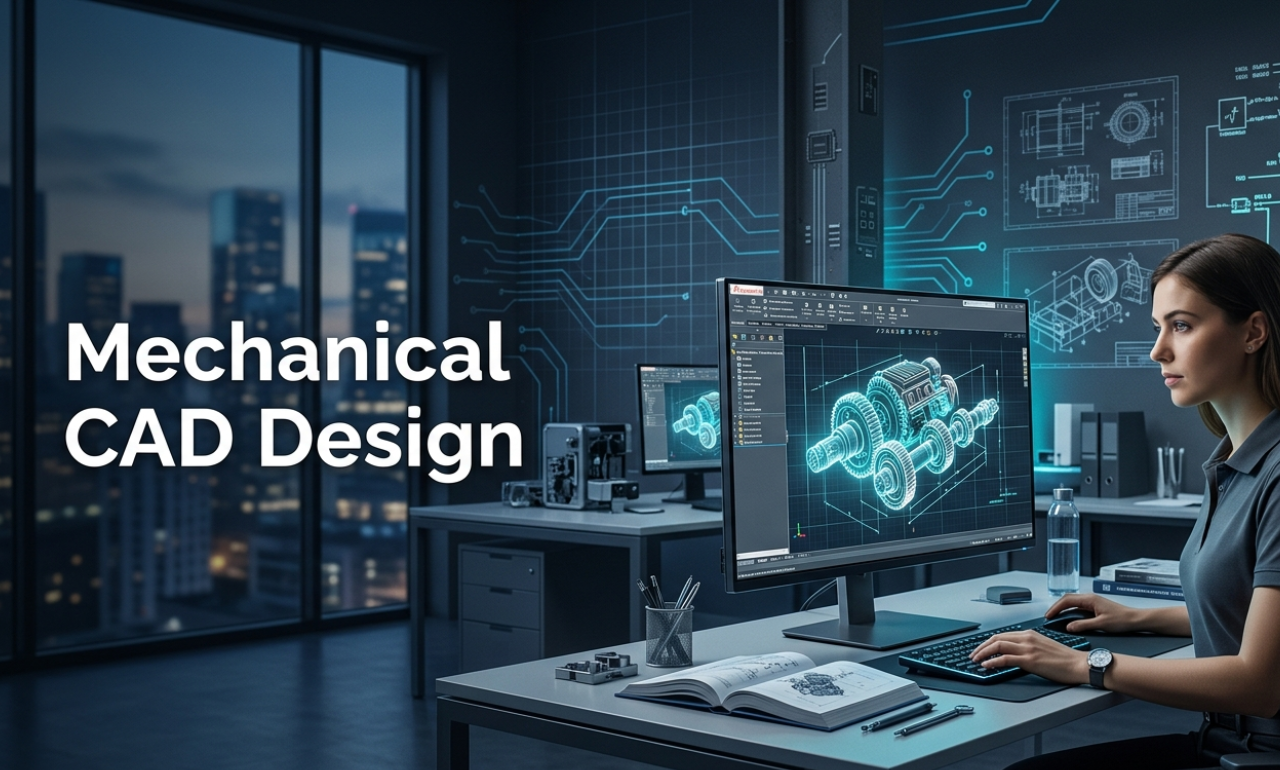
If you have ever wondered how cars, aircraft engines, industrial machines, or even the smartphones in your pocket are designed before they are built, the answer lies in Mechanical CAD Design. It is the foundation of modern engineering and manufacturing, and one of the most in-demand technical skills in the world today. Whether you are a student exploring career paths, an engineering graduate looking to upskill, or a professional curious about transitioning into product design, this guide will walk you through everything you need to know about Mechanical CAD Design — from the basics to career opportunities and salary trends in India, especially highlighting Bangalore’s strong training and job prospects in CAD.
What is Mechanical CAD Design?
Mechanical CAD Design (Computer-Aided Design) is the process of using specialized software to create detailed 2D drawings and 3D models of mechanical parts, assemblies, and systems. Instead of drawing on paper with pencils and rulers the way engineers once did, today’s designers use powerful digital tools to visualize, test, and refine their ideas on a computer screen. In simple terms, Mechanical CAD is the digital blueprint of any mechanical product — from a simple bolt to a complex turbine engine. The term “CAD” stands for Computer-Aided Design, and when paired with mechanical engineering principles, it becomes an incredibly powerful method for product design using CAD software. These tools allow designers to simulate real-world conditions, detect errors early in the design process, and collaborate with teams across the globe — all before a single prototype is manufactured.
Why is Mechanical CAD Design Important in Engineering and Manufacturing?
The importance of Mechanical CAD Design in today’s engineering and manufacturing landscape cannot be overstated. Here is why:
Precision and Accuracy:
CAD software allows engineers to design parts with extreme accuracy, sometimes down to micrometres. This level of precision builds trust in CAD’s ability to produce reliable, error-free designs.
Faster Design Cycles:
With mechanical design software, engineers can make changes to a design in minutes instead of days. This significantly speeds up the product development lifecycle.
Cost Reduction:
Detecting design flaws digitally before physical production saves enormous amounts of time and money. Errors caught in the CAD stage cost a fraction of what they would cost if discovered after manufacturing.
Visualization and Simulation:
Modern 3D mechanical modeling tools allow engineers to simulate how a product will behave under stress, heat, pressure, or motion without ever building a physical prototype.
Documentation and Standardization:
CAD software automatically generates engineering drawings, bills of materials (BOM), and other documentation that is essential for manufacturing and quality control.
These advantages make Mechanical CAD Design an indispensable part of virtually every engineering and manufacturing industry worldwide.
Types of Mechanical CAD Design
Mechanical CAD Design is not a single process — it encompasses several distinct disciplines, each serving a specific purpose in the design pipeline, enabling beginners to focus on areas that align with their career goals and interests.
1. 2D Drafting (Mechanical Drafting Basics)
This is the traditional form of CAD, where engineers create flat, two-dimensional technical drawings. These drawings represent the top, front, and side views of a component and include all dimensions, tolerances, and annotations needed for manufacturing. Tools like AutoCAD are widely used for mechanical drafting basics and technical documentation.
2. 3D Solid Modeling
This is the most widely used form of Mechanical CAD Design today. Engineers create fully three-dimensional, solid representations of parts and assemblies. 3D mechanical modeling gives designers the ability to rotate, zoom, and inspect a model from any angle—software such as SolidWorks, CATIA, and Fusion 360 excel at this.
3. Surface Modeling
Used primarily in automotive and consumer product design, surface modeling allows designers to create complex, organic shapes that are difficult to achieve with solid modeling alone.
4. Assembly Design
This involves bringing together multiple individual parts to form a complete mechanical assembly — such as an engine or a gearbox. Designers can test how parts fit together, check for interference, and analyze the motion of moving components.
5. Simulation and Analysis (CAE)
Often integrated with CAD software, Computer-Aided Engineering (CAE) allows designers to run Finite Element Analysis (FEA), Computational Fluid Dynamics (CFD), and motion simulations. This is how engineers validate designs before physical testing.
6. Generative Design
A newer, AI-powered approach where the software itself generates optimized design options based on specific parameters like weight, strength, and material constraints.
Best CAD Software for Mechanical Engineers
Choosing the right mechanical design software is crucial, as it can shape your skill set and open up various career opportunities. Here is a look at the most popular engineering design tools used across industries:
AutoCAD
Developed by Autodesk, AutoCAD is one of the oldest and most widely used CAD tools. It is primarily used for 2D drafting and documentation, though it also has 3D capabilities. It is an excellent starting point for beginners learning mechanical drafting basics.
SolidWorks
SolidWorks by Dassault Systèmes is the go-to CAD software for mechanical engineers working with 3D solid modeling. It is intuitive, feature-rich, and widely used in product design and manufacturing. Many CAD certification courses are centered around SolidWorks.
CATIA
CATIA (Computer-Aided Three-Dimensional Interactive Application) is an advanced, industry-grade CAD software used in aerospace, automotive, and defense sectors. It is the preferred tool at companies like Boeing and Airbus. While it has a steeper learning curve, it is extremely powerful for complex engineering design.
Fusion 360
Autodesk’s Fusion 360 is a cloud-based CAD/CAM/CAE platform popular among startups, students, and product designers. It combines 3D mechanical modeling, simulation, and manufacturing tools in a single package — making it one of the best CAD software for mechanical engineers who need an all-in-one solution.
Siemens NX
Widely used in automotive and heavy machinery industries, Siemens NX offers advanced capabilities in design, simulation, and manufacturing.
PTC Creo
Another powerful tool used in industries like aerospace, automotive, and industrial equipment. Creo offers a comprehensive suite of engineering design tools.
Applications of Mechanical CAD Design Across Industries
Mechanical CAD Design is used across virtually every industry that involves physical products. Here are some key sectors:
Automotive Industry:
From engine components to chassis design and crash simulation, CAD is used at every stage of vehicle development.
Aerospace and Defense:
Aircraft structures, jet engines, missiles, and satellites are all designed using advanced 3D mechanical modeling and simulation tools.
Manufacturing and Industrial Equipment:
Machine tools, conveyor systems, hydraulic systems, and industrial robots are designed and optimized using CAD software.
Consumer Electronics:
Smartphones, laptops, wearables, and home appliances — the enclosures and mechanical components of all these products are designed using product design using CAD.
Medical Devices:
Surgical instruments, prosthetics, implants, and diagnostic machines require highly precise mechanical design.
Architecture and Civil Engineering:
Structural components, HVAC systems, and MEP (mechanical, electrical, plumbing) designs often use CAD tools.
Renewable Energy:
Wind turbines, solar panel mounting structures, and hydropower systems are designed and optimized through CAD-based engineering.
How Long Does It Take to Learn CAD?
This is one of the most common questions asked by beginners. The honest answer: it depends on your goal.
Basic proficiency in 2D drafting (AutoCAD): 1 to 2 months of consistent training.
Intermediate 3D modeling (SolidWorks or Fusion 360): 3 to 6 months of hands-on practice.
Advanced CAD with simulation and design for manufacturing: 6 to 12 months or more.
Structured training at a reputed CAD training institute can significantly accelerate this timeline. With dedicated mentorship, project-based learning, and access to professional software, many students achieve job-ready skills in 3 to 6 months. The key is consistency. CAD is a skill that improves dramatically with practice, and even 1 to 2 hours of daily practice can yield impressive results in a short time.
Benefits of Learning Mechanical CAD Design
Investing time in a CAD design course offers numerous personal and professional benefits:
- High employabilityacross industries — CAD skills are consistently in demand globally
- Higher earning potentialcompared to non-technical roles
- Freelance opportunities— many CAD designers work independently on product design projects
- Entry point to advanced engineering rolesin simulation, product management, and R&D
- Global career opportunities— CAD skills are universally valued across industries worldwide
- Foundation for further learningin areas like CAM, PLM (Product Lifecycle Management), and robotics
Skills Required to Become a Mechanical CAD Designer
Beyond knowing how to operate CAD software, a successful mechanical CAD designer needs a blend of technical and soft skills:
Technical Skills:
- Proficiency in at least one or two CAD software platforms (AutoCAD, SolidWorks, CATIA, etc.)
- Understanding of engineering drawing standards (GD&T — Geometric Dimensioning and Tolerancing)
- Knowledge of materials, manufacturing processes, and design for manufacturability (DFM)
- Ability to read and interpret engineering blueprints and schematics
- Basic understanding of physics — stress, strain, load calculations
Soft Skills:
- Attention to detail — small errors in CAD can lead to expensive manufacturing defects
- Problem-solving mindset
- Effective communication with engineers, clients, and manufacturing teams
- Ability to manage multiple projects and meet deadlines
- Willingness to continuously learn — CAD software evolves rapidly
How to Start a Career in Mechanical CAD Design
Starting a career in Mechanical CAD Design is more accessible than many people think. Here is a practical roadmap:
Step 1: Build Your Foundation. Start with a Mechanical Engineering degree, diploma, or relevant technical education. A basic understanding of engineering principles is essential.
Step 2: Enroll in a CAD Design Course. Join a structured CAD training program at a recognized CAD training institute. Look for programs that offer hands-on training with industry-standard software.
Step 3: Earn a CAD Certification. Completing a CAD certification course from recognized bodies (like Autodesk Certified Professional or SolidWorks CSWA/CSWP) significantly boosts your resume credibility.
Step 4: Build a Portfolio Work on real-world projects — even personal or academic ones and document them with screenshots, drawings, and videos. A strong portfolio is often more persuasive than a degree.
Step 5: Apply Strategically Target roles in sectors that align with your interests — automotive, aerospace, consumer goods, or industrial manufacturing.
Career Opportunities and Job Roles in Mechanical CAD Design
The career opportunities for trained CAD professionals are vast. Common job roles include:
- CAD Drafter / CAD Technician— Creates detailed 2D drawings and 3D models based on the engineer’s specifications
- Mechanical Design Engineer— Designs mechanical components and systems using CAD software
- Product Designer— Focuses on the aesthetic and functional design of consumer products
- Simulation Engineer— Uses CAD and CAE tools to analyze and optimize designs
- Manufacturing Engineer— Bridges the gap between design and production
- Tool & Die Designer— Designs specialized tooling for manufacturing processes
- CAD Manager— Oversees CAD standards, software, and workflows in an organization
CAD Training Opportunities: Start Your Journey the Right Way
Learning Mechanical CAD Design from the right institution can make all the difference between struggling on your own and fast-tracking into a rewarding career. Here is what to look for in a quality CAD training program:
Practical, Project-Based Learning:
The best programs go beyond theory. Look for institutes that offer real-world project exposure — designing actual mechanical components, assemblies, and running simulations.
Industry-Relevant Software Training:
Ensure the curriculum covers the most in-demand tools: AutoCAD, SolidWorks, CATIA, and Fusion 360.
Recognized Certification:
A CAD certification course from a credible institute adds significant weight to your resume and can help you stand out during job interviews.
Placement Support:
Institutes with dedicated placement cells and industry connections are invaluable especially for fresh graduates entering the job market.
If you are based in South India, particularly in Bangalore, you have access to some of the country’s best CAD training infrastructure, especially around technology and engineering hubs like Marathahalli.
Learn Mechanical CAD Design at CADDESK Marathahalli, Bangalore
If you are searching for a Mechanical CAD course in Bangalore that combines quality training with strong placement support, look no further than CADDESK Marathahalli. Located in the heart of Marathahalli one of Bangalore’s most prominent engineering and IT corridors CADDESK Marathahalli is one of the most trusted names in technical education in the city. Whether you are looking for a mechanical design course near Marathahalli or the best CAD institute in Bangalore, CADDESK delivers on every front.
Here is what makes CADDESK Marathahalli the preferred choice for aspiring CAD professionals:
Industry-Oriented CAD Courses: The curriculum at CADDESK is designed in close consultation with industry professionals. You will learn the tools and workflows that employers actually use including AutoCAD, SolidWorks, CATIA, and Fusion 360 — with a focus on real-world application rather than just theoretical knowledge.
Experienced Trainers: CADDESK’s faculty consists of working industry professionals with years of hands-on experience in mechanical design and manufacturing. This means you are not just learning from textbooks you are learning from people who have solved real engineering challenges.
Hands-On Training Environment: At CADDESK, you will spend the majority of your training time working directly on software designing parts, building assemblies, running simulations, and producing detailed engineering drawings. This practical approach ensures that by the time you complete the course, you are truly job-ready.
CAD Certification Support: CADDESK prepares students for recognized industry certifications from Autodesk and SolidWorks, giving you credentials that validate your skills to employers worldwide.
Placement Assistance: CADDESK Marathahalli offers dedicated CAD training with placement in Bangalore, with a strong network of hiring partners across automotive, aerospace, industrial manufacturing, and product design companies. The placement support team actively connects students with job opportunities matching their skills and interests.
Conclusion
Mechanical CAD Design is not just a technical skill — it is the language of modern engineering. From the car you drive to the medical device that saves a life, CAD is behind it all. As industries continue to innovate at a rapid pace, the demand for skilled mechanical CAD designers will only grow stronger. Whether you are just starting or looking to level up your career, investing in a quality CAD design course is one of the smartest decisions you can make today. And if you are in Bangalore, the expertise, infrastructure, and placement support available at CADDESK Marathahalli make it the ideal place to begin that journey.
Your future in Mechanical CAD Design starts with a single step — take it today.
About the Author:
Bussa Karthik Reddy is an experienced corporate trainer in Hyderabad, an entrepreneur, and a digital marketing expert with over 10 years in the industry. He focuses on professional training in Primavera P6, Microsoft Project, and BIM training. He helps students and professionals build strong careers in project management and construction technologies.
He founded Onclick Digital Marketing Services, JBK Academy, and Raster FX Studios. At these organizations, he provides job-oriented training in Hyderabad that emphasizes real-world skills, job placement support, and career growth. His skills also include lead generation through digital marketing, SEO strategies, and performance marketing. This makes him a well-rounded trainer in both technical and marketing fields.
As a Digital Marketing Trainer in Hyderabad and HR Manager at MAAC Kukatpally, he has hands-on experience with student placement, recruitment, and career development. This dual role helps him understand what the industry needs and train students with practical skills that are relevant to the job market.
With a strong passion for teaching, he has trained hundreds of students in BIM courses, project management tools, and digital marketing courses in Hyderabad. He aims to help learners gain in-demand skills, improve their job prospects, and secure high-paying positions in competitive industries.
Add Your Heading Text Here
Lorem ipsum dolor sit amet, consectetur adipiscing elit. Ut elit tellus, luctus nec ullamcorper mattis, pulvinar dapibus leo.
Add Your Heading Text Here
Lorem ipsum dolor sit amet, consectetur adipiscing elit. Ut elit tellus, luctus nec ullamcorper mattis, pulvinar dapibus leo.
Add Your Heading Text Here
Lorem ipsum dolor sit amet, consectetur adipiscing elit. Ut elit tellus, luctus nec ullamcorper mattis, pulvinar dapibus leo.